













Quick Answer
AWS cost management software helps you track, allocate, and optimize what you spend on Amazon Web Services by turning billing and usage data into dashboards, reports, alerts, and recommendations. Native AWS tools such as Cost Explorer, Cost Anomaly Detection, and Cost Optimization Hub give you baseline visibility inside AWS, while third-party FinOps platforms add deeper cost allocation, waste detection, anomaly detection, budgeting, shared-cost handling, multi-cloud reporting, and automated optimization so you can act on cost issues faster.
AWS cost management software is designed to help organizations monitor, control, and optimize their spending on Amazon Web Services.
What Is AWS Cost Management Software?
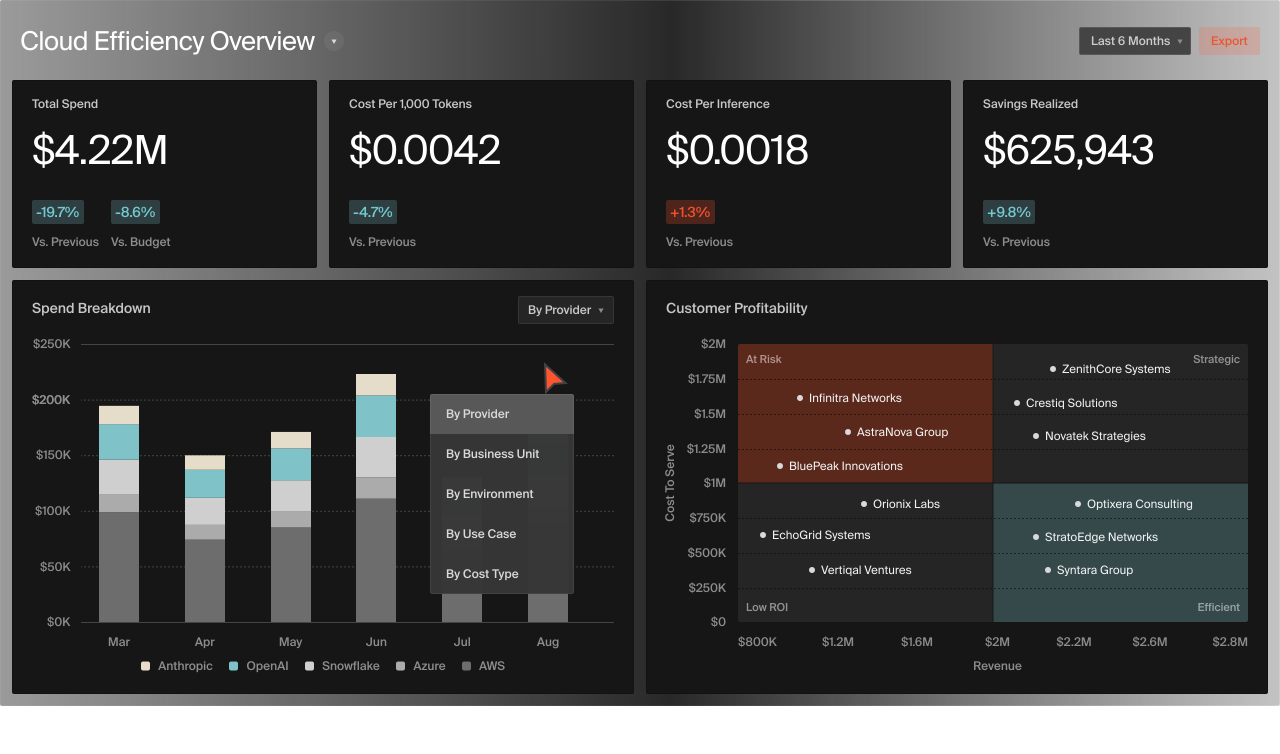
AWS cost management software helps you monitor, control, organize, and optimize your spending on Amazon Web Services. These tools connect to your AWS accounts, pull usage, billing, and cost data, and present it in customizable dashboards and reports so the right people see the right numbers. The goal is to help you see where your cloud money is going, spot waste, organize costs across teams and services, and make better financial decisions about your AWS investments.
Key Takeaways
- Visibility & Control: AWS cost management tools provide essential visibility into cloud spending, helping identify waste and optimize investments through customizable dashboards.
- Top Solutions: Finout is highlighted for 100% cost allocation without retagging, while IBM Cloudability and Vantage are top choices for mature multi-cloud environments.
- AI & Automation: 2026 trends emphasize AI-powered natural language cost analysis (Amazon Q) and automated commitment management to reduce manual FinOps efforts.
- Core Capabilities: Effective software must include anomaly detection, automated rightsizing recommendations, and granular invoice management to prevent budget overruns.
Features of AWS cost management solutions include cost allocation, trend analysis, resource tagging, and support for complex billing scenarios like consolidated billing and enterprise agreements.
In addition to visibility, these solutions offer proactive controls, such as budgets, alerts, and recommendations for rightsizing or terminating unused resources. By automating discovery of inefficiencies and providing actionable insights, AWS FinOps reduces manual efforts and helps companies avoid unexpected billing surprises.
Editor’s note: Updated the article to cover recent market trends, updated product information to reflect features and capabilities in 2026.
This is part of a series of articles about AWS Cost Management.
Related content:
- Read our guide to AWS Reserved Instances
- Read our guide to AWS Budgets
AWS Cost Management Tools at a Glance
The table below summarizes the key differences between the tools covered in this guide. We explore each one in more detail in the sections that follow.
| Category | Solution | Best For | Key Strengths | Things to Consider |
| FinOps & Cloud Cost Platforms | Finout | 100% cost allocation without retagging | Virtual Tags, MegaBill, CostGuard, anomaly detection | Multi-account setup takes some configuration |
| FinOps & Cloud Cost Platforms | IBM Cloudability | Large, mature multi-cloud FinOps programs | Allocation, forecasting, rightsizing, commitments | Enterprise pricing and a steeper learning curve |
| FinOps & Cloud Cost Platforms | Vantage | Visibility across cloud, SaaS, and AI | Cost reports, virtual tagging, Autopilot, MCP access | Fewer deep analytics than some larger platforms |
| FinOps & Cloud Cost Platforms | Datadog Cloud Cost Management | Datadog users correlating cost with usage | Cost-and-usage correlation, container allocation | Full features need other Datadog products |
| FinOps & Cloud Cost Platforms | CloudZero | Tracking unit cost and cost per customer | Tag-free allocation, unit economics, anomaly detection | Setup has many moving parts |
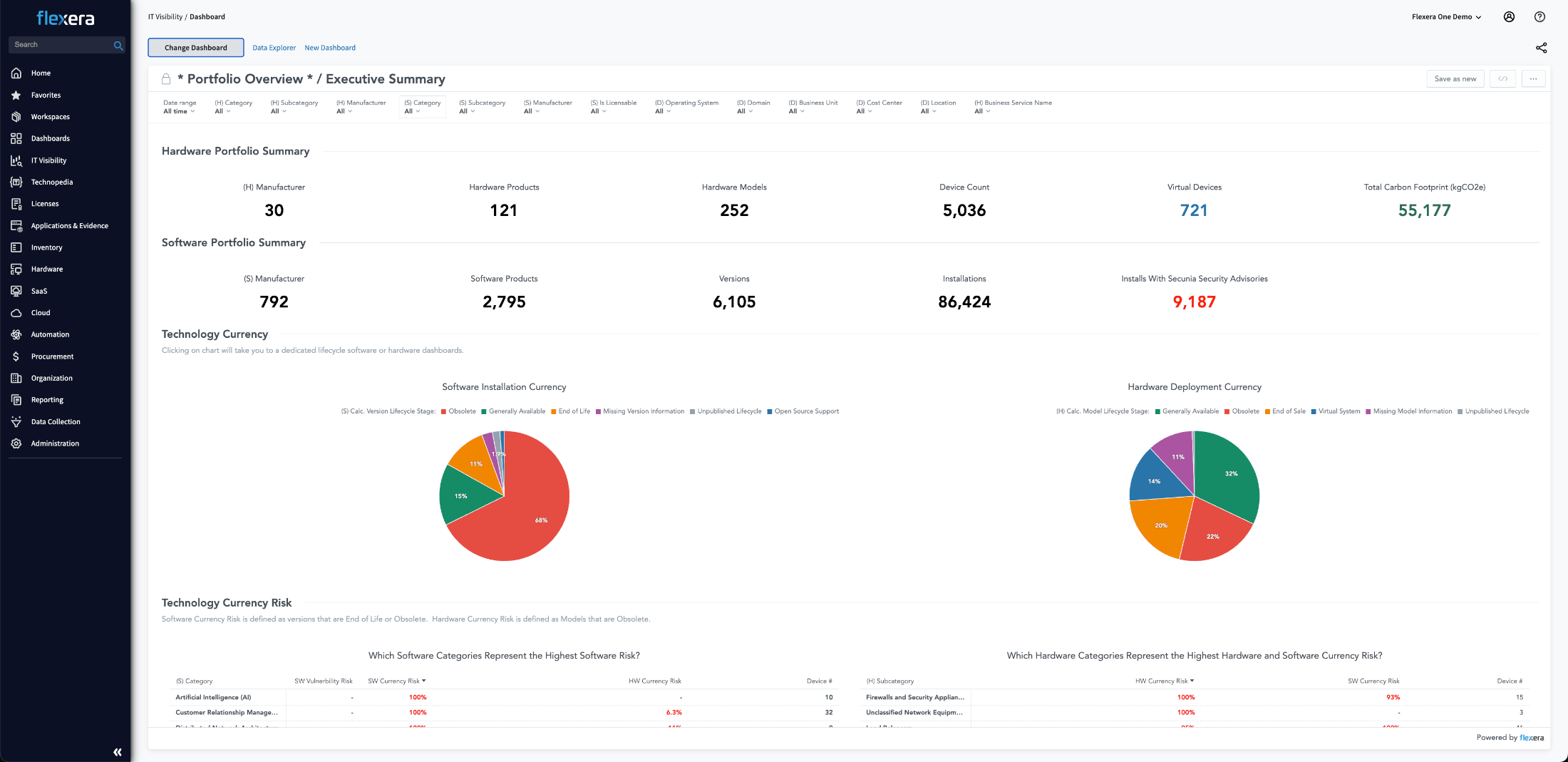
| FinOps & Cloud Cost Platforms | Flexera One Cloud Cost Optimization | Uniting FinOps with IT asset management | Policy-based automation, multi-cloud allocation | Broad feature set carries a learning curve |
| Optimization & Automation | ProsperOps | Automating commitment and rate optimization | Autonomous Savings Plans and RI management | Focused on rate optimization, not visibility |
| Optimization & Automation | CAST AI | Automating Kubernetes and GPU optimization | Autoscaling, rightsizing, Spot automation | Centered on Kubernetes and container workloads |
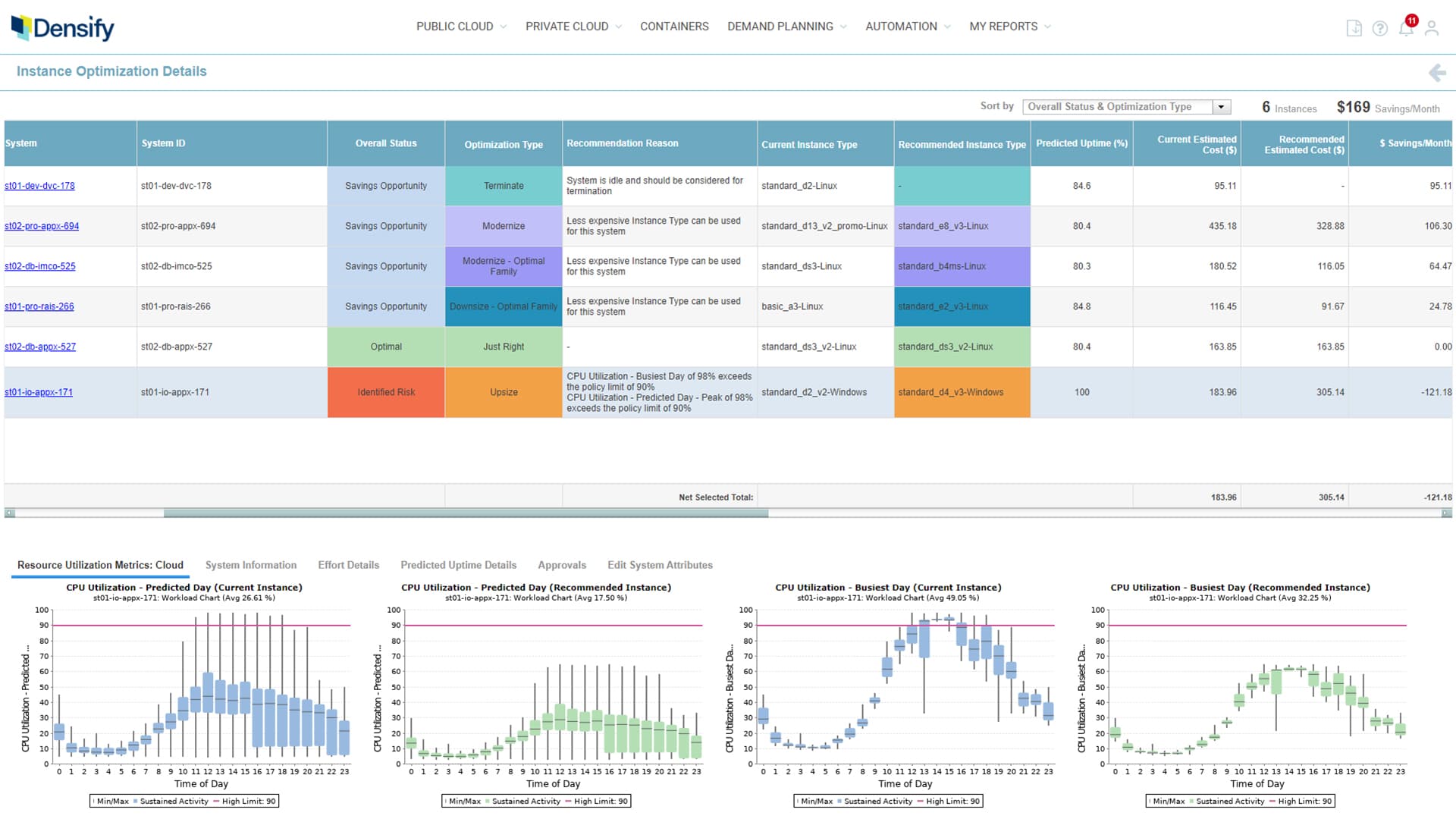
| Optimization & Automation | Densify | Rightsizing Kubernetes, GPU, and instances | ML-driven sizing and workload placement | Interface can be slow at times |
| AWS-Native Tools | AWS Cost Explorer | Native visualization of cost and usage | Preconfigured views, forecasting, Amazon Q analysis | AWS only, recommendations not executed |
| AWS-Native Tools | AWS Cost Anomaly Detection | ML alerts on AWS spend spikes | Managed monitors, ML detection, SNS alerts | Detects but does not remediate anomalies |
| AWS-Native Tools | AWS Cost Optimization Hub | Consolidating optimization recommendations | 18+ recommendation types, savings ranked | Recommendations only, AWS environments |
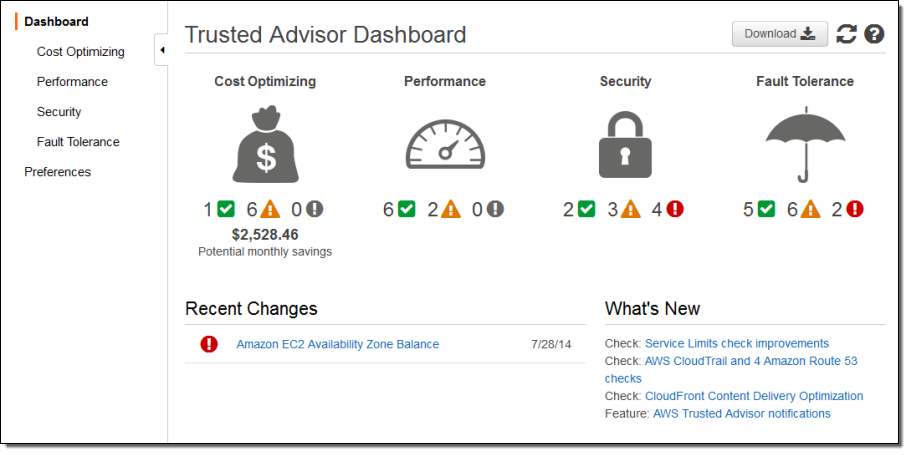
| AWS-Native Tools | AWS Trusted Advisor | Best-practice checks across categories | Cost checks plus security and performance | Full checks need a paid Support plan |
What’s New in AWS Cost Management?
AWS Cost Management has added several new features focused on easier cost analysis, automated reporting, stronger budget tracking, and better cost allocation across accounts and services.
- Amazon Q cost explanations: Cost Explorer now includes Amazon Q-powered explanations that help identify cost trends, spikes, anomalies, and forecast drivers.
- Natural-language cost analysis: Users can ask cost and usage questions in plain language instead of manually building every Cost Explorer filter.
- AWS FinOps Agent: A new agent brings cost expertise into Jira and Slack, running on a schedule, on anomaly detection, or on demand, and drawing on Cost Explorer, Cost Anomaly Detection, Cost Optimization Hub, and Compute Optimizer.
- Budget widgets in dashboards: AWS Budgets can now be monitored directly inside Billing and Cost Management Dashboards, including budgeted, actual, and forecasted spend.
- Scheduled dashboard emails: Billing and Cost Management Dashboards can now be sent automatically as recurring PDF email reports.
- Cross-account Data Exports: AWS Data Exports now supports delivery of billing and cost data to an S3 bucket in another AWS account.
- Billing transfer: Organizations with multiple AWS Organizations can now centrally manage and pay from a single account, separating billing from security and governance.
- Split cost allocation for containers: AWS now provides more detailed ECS cost and usage data to help split container costs more accurately.
- More detailed Bedrock cost allocation: Amazon Bedrock costs can now be allocated by IAM user and IAM role in CUR 2.0 and Cost Explorer.
- Account tags as cost allocation tags: AWS Organizations account tags can now be activated as cost allocation tags across AWS Cost Management tools.
What Makes AWS Cost Management Challenging?
Once your AWS environment grows past a handful of accounts and services, cost management gets harder in a few specific ways.
- Unpredictable cost spikes: Even careful monitoring can be disrupted by auto-scaling applications, batch workloads, data transfer fees, or new resource launches that unexpectedly drive up costs. Troubleshooting the root cause of these spikes can be a time-consuming process.
- Complex billing structures: AWS uses a range of billing models, such as on-demand, reserved, spot, and savings plans, each with its own pricing and usage patterns. Layered on top of this are multiple services, regions, and resource types. Organizations managing several AWS accounts or using consolidated billing may struggle to track where money is going.
- Oversized and underutilized resources: Teams often over-allocate compute or storage to avoid performance issues. As workloads shift or retire, these resources remain active, leading to unnecessary ongoing charges.
What to Look for in AWS Cost Management Software
Cost Analysis and Reporting
A core function of AWS cost management software is to help you consolidate and visualize cloud spending data from your AWS accounts through analysis and reporting modules. These tools pull in detailed usage and billing information and show it back to you through dashboards, graphs, and exportable reports with filters by service, region, account, or tag.
That gives you a clearer view of where costs are concentrated, how spending is trending, and what is driving changes so you can budget more accurately and adjust resources sooner.
- Stakeholder Views: Provides high-level executive summaries and granular engineering data.
- Automated Distribution: Scheduled email reports and collaboration tool integrations keep teams in sync.
- Accountability: Identifies optimization opportunities like underutilized resources or unexpected charges.
- Historical Tracking: Aids in long-term financial planning and accurate forecasting.
Budgeting and Forecasting
AWS cost management platforms let you set budgets at different levels, from department-wide all the way down to individual projects or teams. You can define spending limits, allocate budgets across resources, and receive notifications as thresholds are approached or exceeded, which gives your teams clearer cost guardrails and helps you avoid overages sooner.
Forecasting uses your historical usage and current consumption trends to project future costs, often with built-in machine learning or rules-based engines. That helps you plan for seasonal shifts, support broader financial planning cycles, and keep your AWS usage aligned with business priorities.
Learn more in our detailed guide to AWS budgets
Anomaly Detection
Anomaly detection watches your AWS spending for unusual trends and suspicious spikes before they turn into bigger budget problems. Cost management tools use machine learning models or predefined rules to monitor usage patterns, and you receive automated alerts when costs exceed defined thresholds or when sudden changes occur.
This helps you catch unauthorized usage, configuration mistakes, or runaway automation scripts before they do more financial damage. By continuously scanning for anomalies, you can enforce tighter oversight, respond faster to incidents, and build more trust in AWS adoption at scale. Over time, these systems learn your normal patterns and refine their sensitivity to reduce false positives while still surfacing important events.
Learn more in our detailed guide to AWS cost anomaly detection
Invoice Management
If you're managing multiple teams, cloud accounts, or global business units, reconciling AWS invoices gets complicated quickly. AWS cost management software simplifies that by aggregating bills, breaking down charges by account, service, or tag, and automating invoice reconciliation against usage records so you can eliminate manual cross-checking and reduce chargeback or allocation errors.
Advanced solutions also support multi-currency, tax, and compliance requirements while connecting AWS bills to broader financial workflows and ERP systems. Depending on the platform, you may also get purchase order management, multiple payment profiles, credit tracking, automated approval flows, audit trails, and direct integration with accounts payable processes, which makes month-end close more accurate and easier to manage.
Notable AWS Cost Management Tools
FinOps and Cloud Cost Management Platforms
1. Finout

Best for: Teams needing 100% cost allocation without retagging
Strengths: Virtual Tags, MegaBill, CostGuard, anomaly detection
Things to consider: Initial multi-account setup takes some configuration
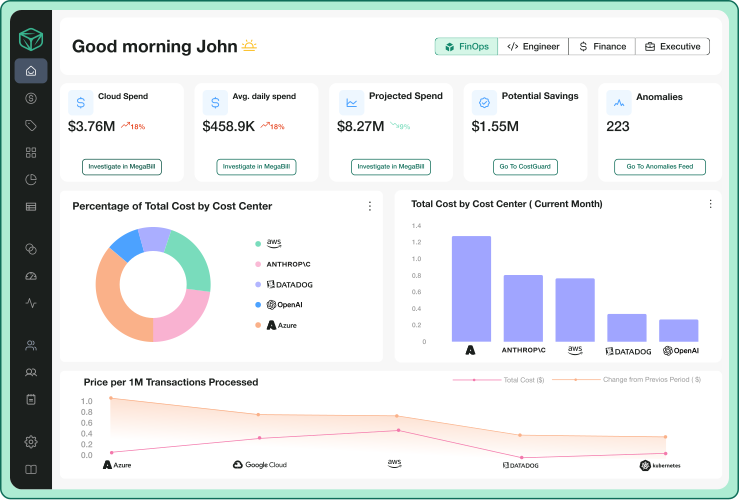
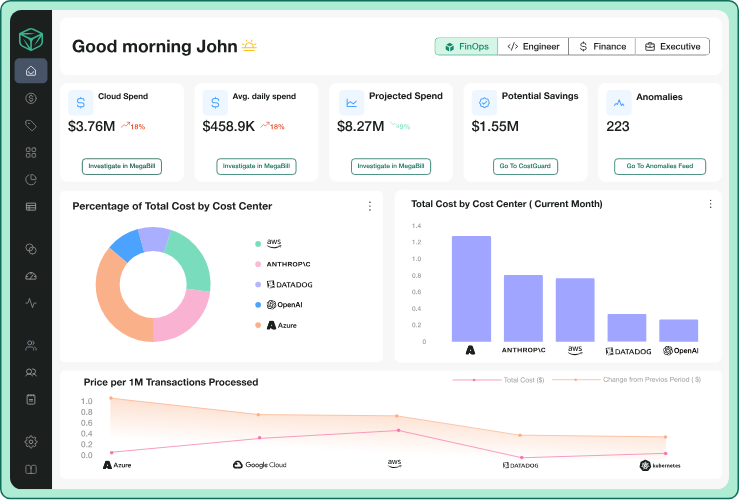
Finout is an enterprise-grade FinOps platform that helps you allocate, manage, and govern cloud and AI spending across your entire infrastructure. For AWS environments, it consolidates usage and billing data into a single view and lets you track costs at the level of individual segments, regions, or services. It works without changing your existing tags or adding code or agents, and it connects to AWS alongside other providers and services such as GCP, Azure, OCI, Kubernetes, Snowflake, Datadog, OpenAI, and Anthropic. The platform combines cost visibility with optimization, commitment tracking, and governance features in one place. It is available through the AWS Marketplace, and purchases count toward an Enterprise Discount Program agreement.
Key features include:
- MegaBill: Unifies charges from cloud providers, Kubernetes, AI services, and SaaS into a single view at any chosen level of granularity.
- AI-powered Virtual Tags: Allocates AWS spend per team, environment, or region without relabeling original resources or adding code.
- CostGuard: Surfaces rightsizing, idle resource detection, and commitment recommendations across tags, teams, and environments.
- Anomaly detection: Monitors spending patterns and flags deviations, with alerts that can route to tools teams already use.
- Billy, the AI FinOps assistant: Answers natural-language questions about AWS, Kubernetes, and AI spend with instant, chart-backed responses from live data.
- FinOps Agents: Detect waste and anomalies, investigate root causes, and orchestrate remediation through Jira, Slack, or ServiceNow.
- MCP server: Exposes Finout's cost data layer to MCP-compatible AI clients like Claude and Cursor for custom FinOps automations.
- Custom dashboards, budgeting, and forecasting: Builds role-based views and tracks budgets and forecasts across the organization.
- My Commitments: Centralizes AWS commitments with coverage and utilization percentages, sortable by type or filter.
- Amazon Bedrock cost management: Provides real-time cost monitoring, automated allocation, and usage analytics for Bedrock spend.
Limitations (as reported by users on Gartner Peer Insights):
- Initial setup effort: Connecting and integrating multiple cloud accounts can take some time during onboarding.
- Learning curve for advanced features: Some advanced capabilities take time to configure before teams use them fully.
- Documentation depth: A few users would like more detailed documentation and guided tutorials for new users.
Source: Finout
2. IBM Cloudability
Best for: Large enterprises running mature multi-cloud FinOps
Strengths: Allocation, forecasting, rightsizing, commitments
Things to consider: Enterprise pricing and a steeper learning curve
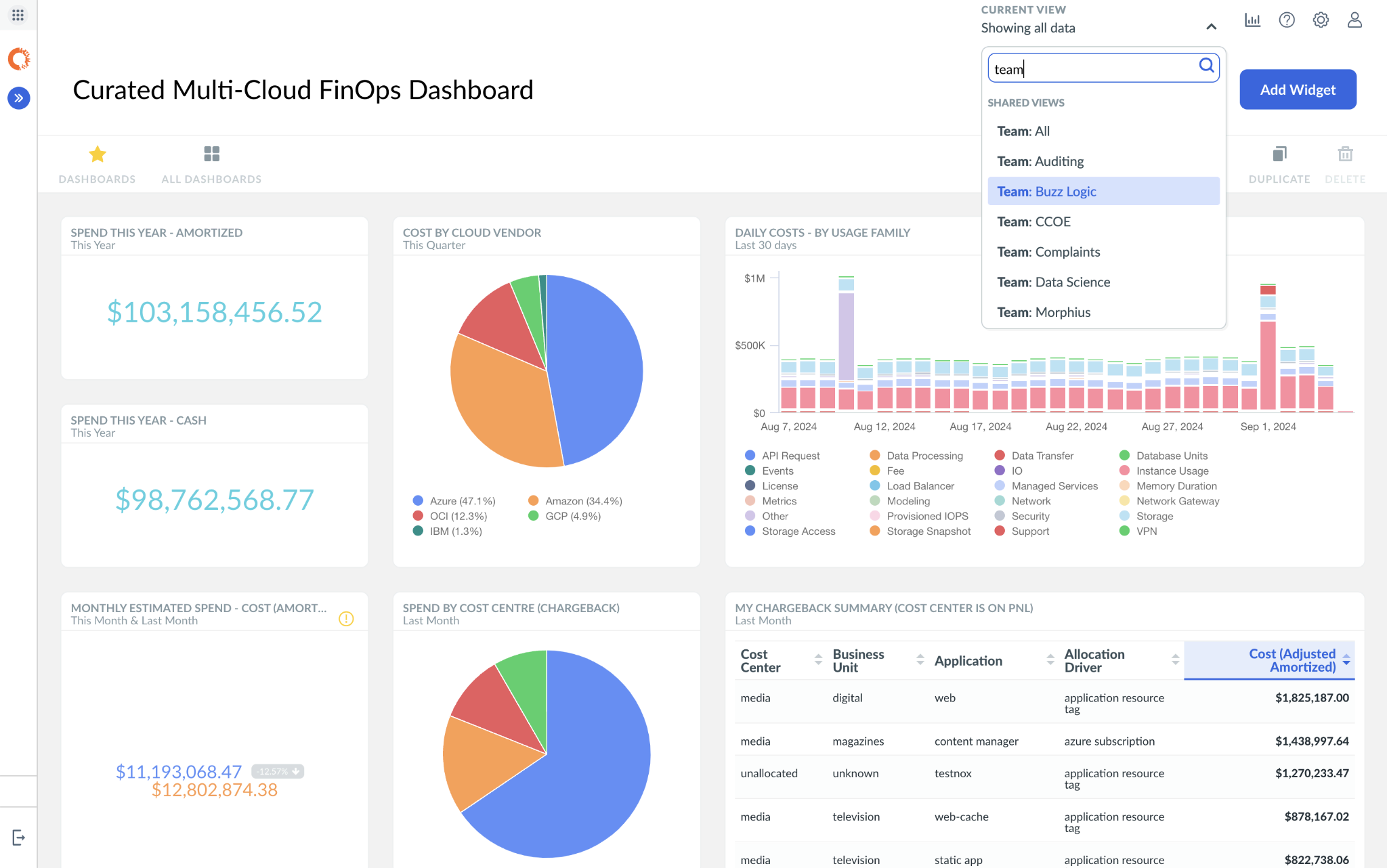
IBM Cloudability (formerly Apptio Cloudability) is an enterprise FinOps platform that connects technology spend to business outcomes across cloud, AI, and SaaS. It normalizes billing and usage data from multiple providers and presents it through a single pane of glass with resource-level analytics. The platform supports the full range of FinOps roles, from practitioners and DevOps to finance, product, and procurement, with capabilities for allocation, forecasting, optimization, and governance. It is offered in Essentials, Standard, and Premium packages that add capabilities as a FinOps practice matures. The platform integrates with tools such as Jira, Datadog, and PagerDuty.
Key features include:
- Cost allocation: Allocates 100% of multi-cloud costs using business mapping and cost-sharing for direct and shared costs.
- Anomaly detection and budgets: Surfaces spending anomalies and budget breaches with proactive alerts.
- Forecasting: Provides AI-backed bottom-up forecasting and top-down budgeting workflows.
- Rightsizing: Recommends scaling resources up or down based on utilization and performance data.
- Commitment management: Offers recommendations to improve coverage of Reserved Instances and Savings Plans.
- Container cost allocation: Allocates Kubernetes costs with pod placement and container sizing.
- Unit economics: Overlays cloud costs with business metrics to track cost per unit.
Limitations (as reported by users on G2):
- Navigation: Some users find the interface difficult to navigate, which can slow adoption.
- Acting on recommendations: Executing the platform's recommendations can be complex and time-consuming.
- Pricing and contracts: The entry cost sits at the higher end of the market, and some users report billing and renewal friction.
Source: IBM
3. Vantage

Best for: Teams wanting cost visibility across cloud, SaaS, and AI
Strengths: Cost reports, virtual tagging, Autopilot, MCP access
Things to consider: Fewer deep analytics than some larger platforms
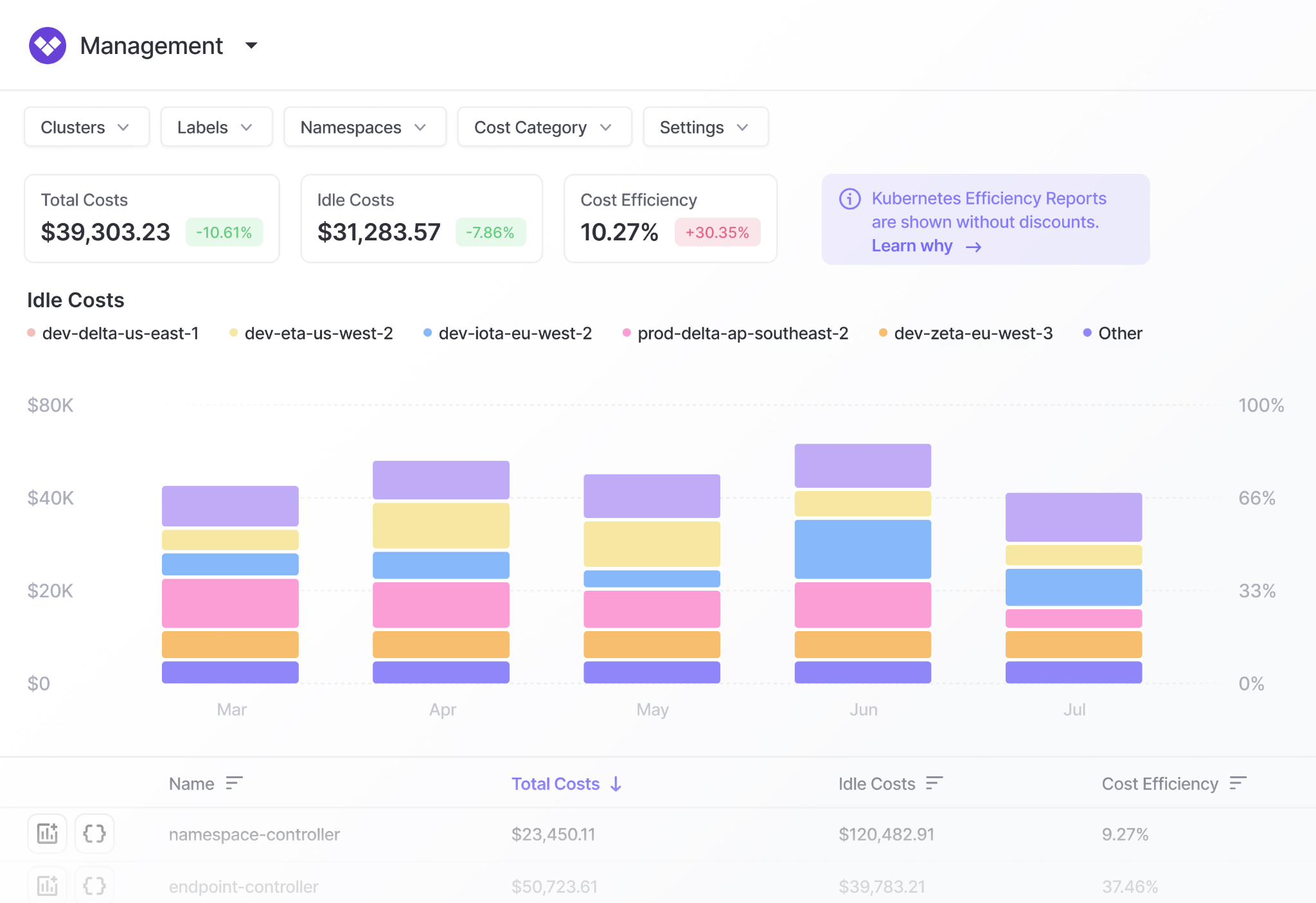
Vantage is a cloud cost management platform that acts as a system of record for allocating and optimizing cloud, SaaS, and AI costs. It consolidates spend from AWS, Azure, Google Cloud, Kubernetes, and a wide range of SaaS and AI providers, then supports allocation, unit cost analysis, and reporting. The platform is built for engineering, finance, and FinOps teams and integrates with Slack, Jira, and Microsoft Teams. It supports programmatic management through an API and a Terraform provider, and it connects cost data to large language models through a hosted or local MCP server. Vantage also covers Kubernetes efficiency through a dedicated agent.
Key features include:
- Cost reports: Analyzes and allocates spend across cloud, SaaS, and AI providers in configurable reports.
- Virtual tagging: Groups and allocates costs without changing native tags, including mapping costs to customers.
- Autopilot: Automates the buying of AWS Savings Plans.
- Automated waste detection: Surfaces cost recommendations and Kubernetes rightsizing suggestions.
- Anomaly detection and alerts: Flags anomalies with custom cost alerts and budget alerts.
- LLM and MCP access: Connects cost data to tools such as ChatGPT, Claude, and Cursor through MCP server support.
Limitations (based on publicly available sources):
- Analytics depth: Public comparisons note fewer advanced analytics, such as deep unit cost analysis, than some larger platforms.
- Pricing model: Pricing is graduated based on the amount of monitored cloud spend.
- Configuration: Advanced setups, such as mapping many virtual tags, require some configuration effort. Note that Vantage is highly rated, with limited negative feedback available on reviews platforms.
Source: Vantage
4. Datadog Cloud Cost Management
Best for: Datadog users correlating cost with observability data
Strengths: Cost-and-usage correlation, container allocation
Things to consider: Full features need other Datadog products
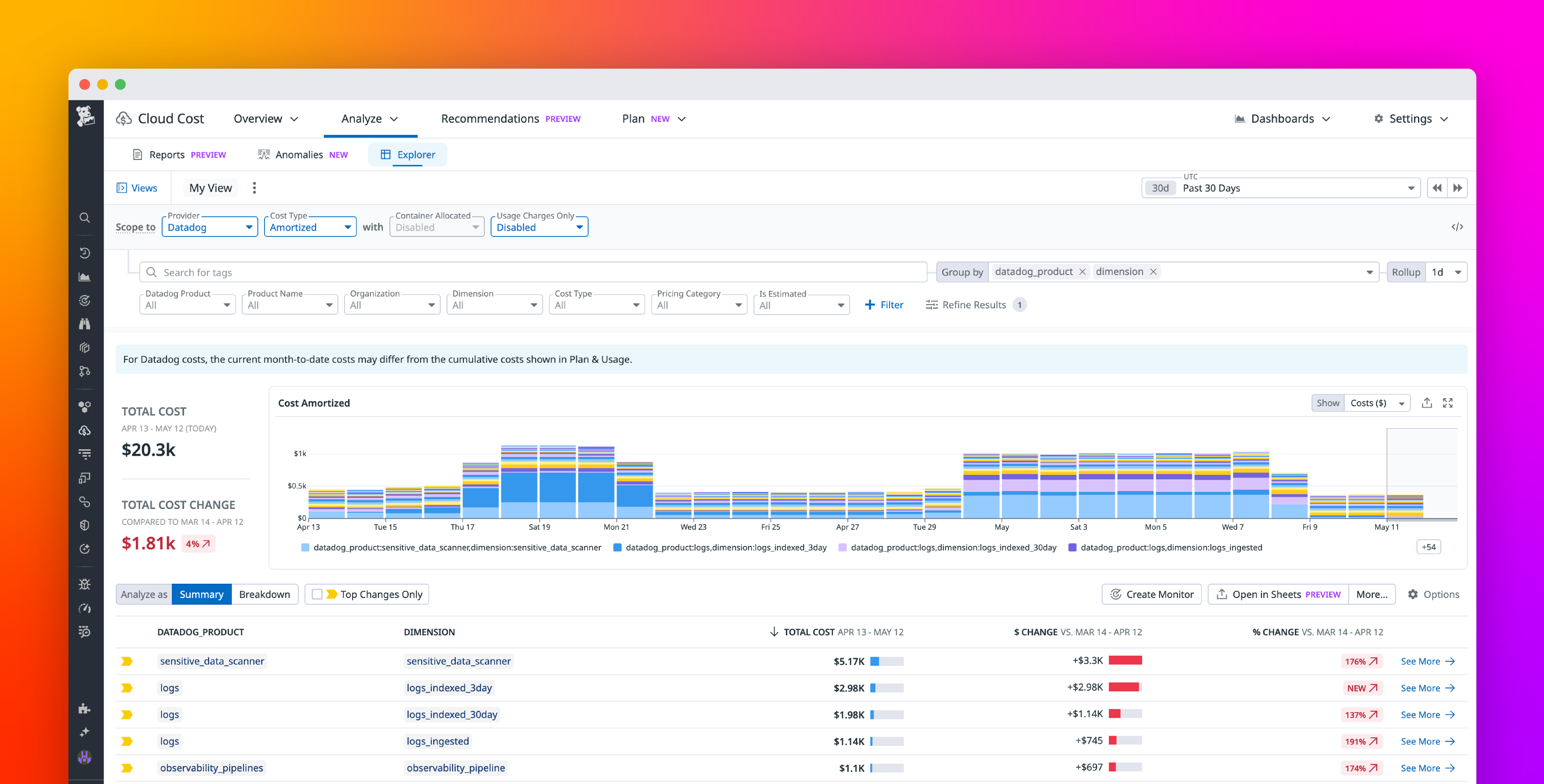
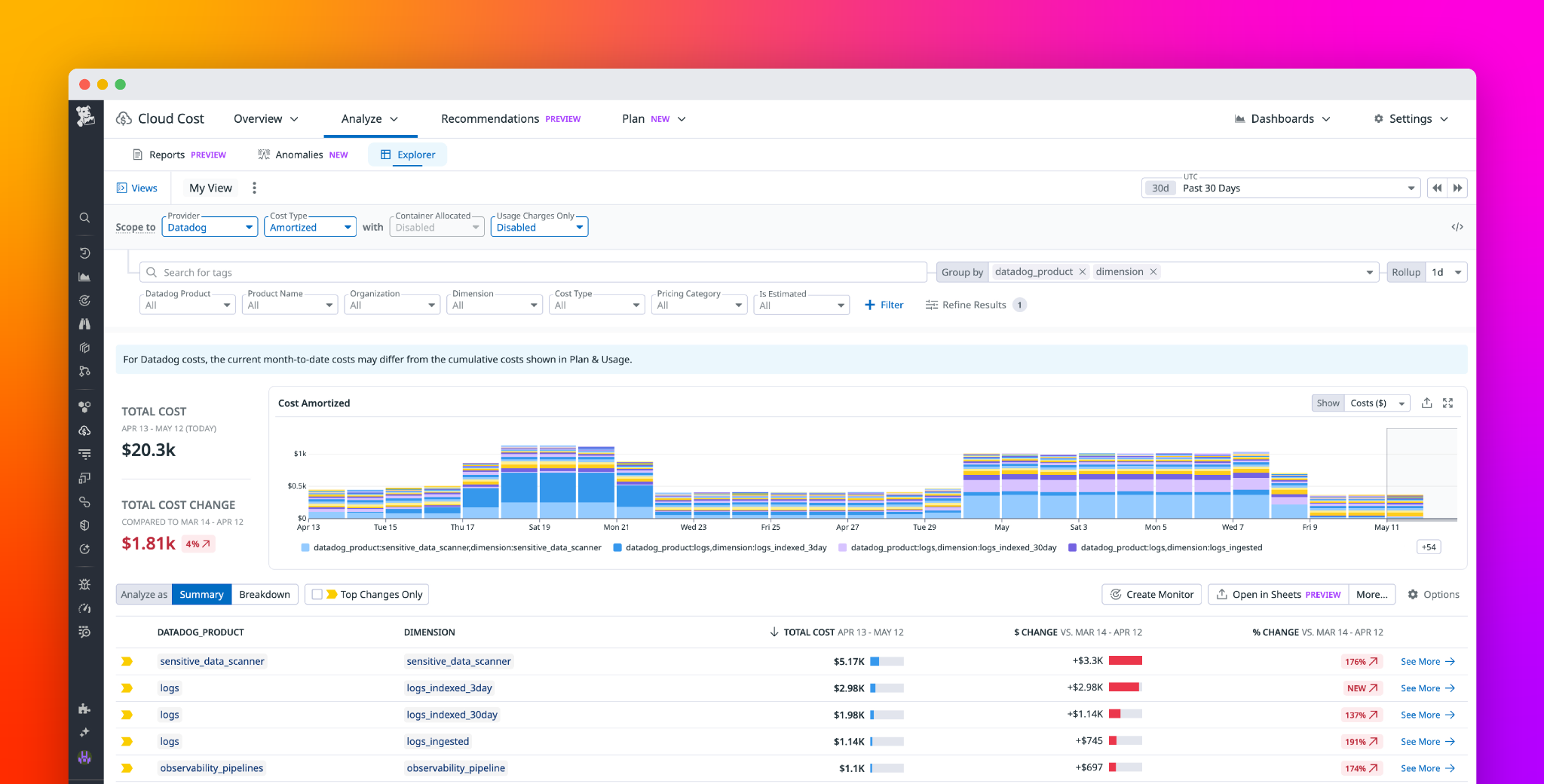
Datadog Cloud Cost Management is a cost observability product that sits inside the broader Datadog platform. It ingests billing data from AWS, Azure, Google Cloud, and Oracle, then transforms it into metrics that can be queried alongside infrastructure usage. Because cost data lives next to logs, metrics, and traces, teams can correlate a cost increase with the usage that drove it. The product supports tag-based allocation, custom dashboards, and cost monitors, and it retains cost metrics for 15 months for trend analysis. It also extends to container cost allocation across Kubernetes, Amazon ECS, Azure, and Google Cloud.
Key features include:
- Cost-and-usage correlation: Turns billing data into metrics that can be analyzed next to infrastructure usage to find root causes.
- Tag-based allocation: Filters and groups costs by account, service, team, or environment using tags.
- Container cost allocation: Allocates costs across Kubernetes, ECS, Azure, and Google Cloud, including pod-level and idle costs.
- Cost monitors: Alerts on cost changes or threshold breaches.
- Recommendations: Identifies orphaned, legacy, or over-provisioned resources, with one-click actions for a limited set.
- Data retention: Keeps 15 months of cost metrics for long-term trend analysis.
Limitations (as reported by users on Gartner Peer Insights):
- Learning curve: Understanding the cost features, filters, tags, and dashboards takes time, and the interface is not always intuitive for new users.
- Optimization guidance: The tool shows where money is spent but provides limited optimization recommendations without integrating other services.
- Product dependencies: Full feature access, including container cost allocation, requires pairing with Datadog Infrastructure and Container Monitoring.
Source: Datadog
5. CloudZero

Best for: Engineering teams tracking unit cost and cost per customer
Strengths: Tag-free allocation, unit economics, anomaly detection
Things to consider: Setup has many moving parts to configure
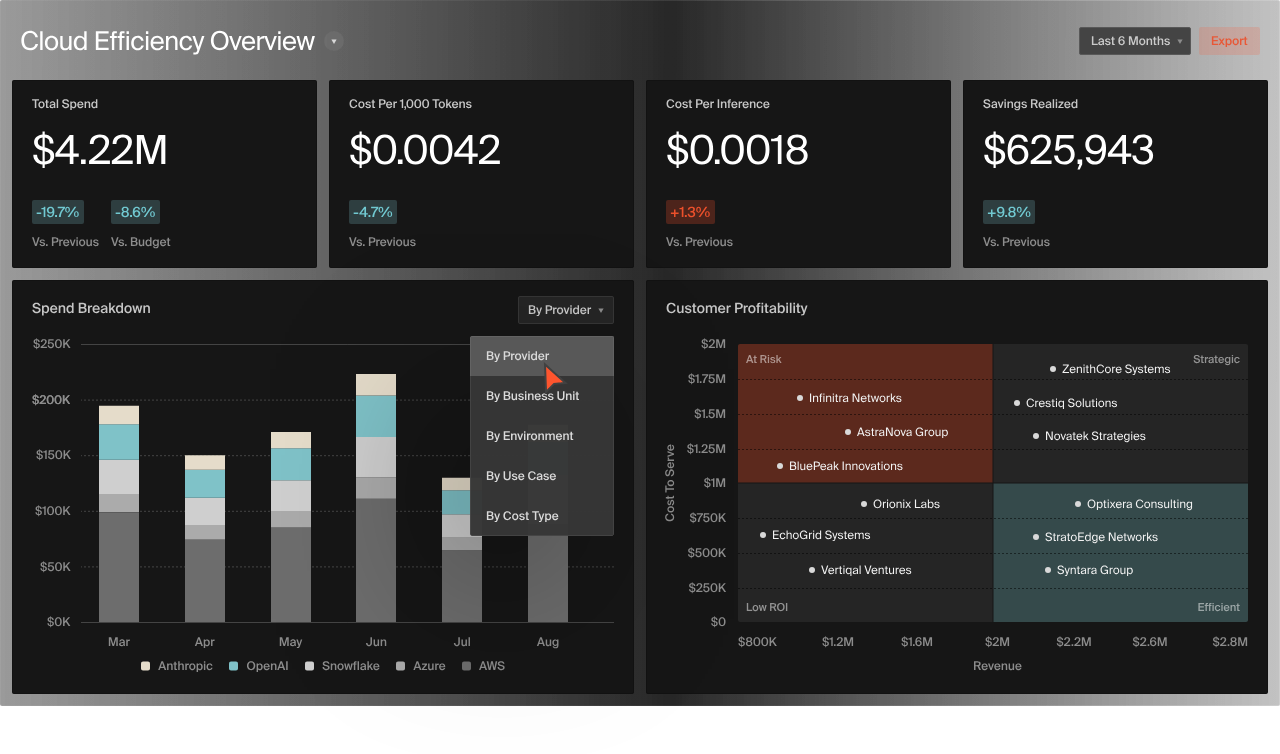
CloudZero is a cloud cost intelligence platform that organizes spend, makes it explorable, and connects it to engineering decisions. It ingests cost data from AWS, other cloud providers, and PaaS and SaaS sources, then allocates it by dimensions that teams define. A central idea is mapping cost to business metrics such as cost per customer, feature, or team, so finance and engineering work from the same numbers. The platform allocates spend with or without tags, which removes the need to wait for tagging cleanup before getting visibility. It also assigns each customer a FinOps Account Manager who reviews spend and helps apply practices.
Key features include:
- Cost source ingestion: Connects AWS, PaaS, and SaaS spend including Kubernetes, Snowflake, and Anthropic into one platform.
- CostFormation allocation: Allocates 100% of spend by user-defined dimensions, regardless of tagging quality.
- Unit cost metrics: Organizes spend into business metrics such as cost per customer, feature, or team.
- Anomaly detection: Defines normal spend automatically and alerts the relevant people when costs spike.
- Kubernetes cost allocation: Allocates 100% of Kubernetes costs at hourly granularity alongside other cloud spend.
- Budgets and forecasting: Bases forecasts on unit cost metrics and tracks budgets over time.
Limitations (as reported by users on G2):
- Setup complexity: The implementation process has many moving parts, which can make initial configuration challenging.
- User experience requests: Some users ask for interface refinements and the ability to add users through an API call.
- Budget controls: A few users would like more sorting and filtering options within budgets.
Source: CloudZero
6. Flexera One Cloud Cost Optimization

Best for: Enterprises uniting FinOps with IT asset management
Strengths: Policy-based automation, multi-cloud allocation
Things to consider: Broad feature set carries a learning curve
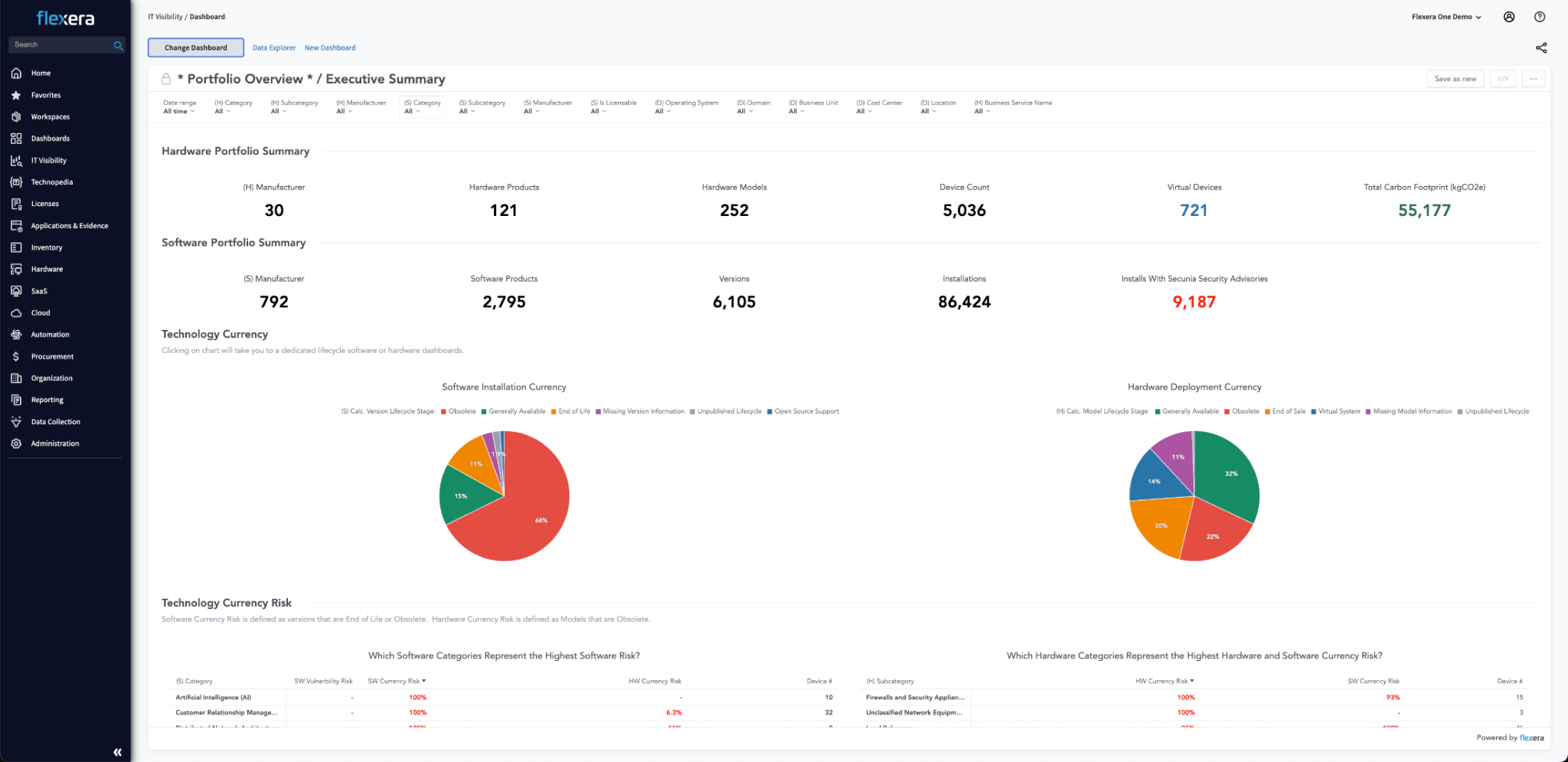
Flexera One Cloud Cost Optimization is the cloud cost component of the Flexera One platform, which combines FinOps, IT asset management, and SaaS management. It monitors usage, costs, and discounting structures across public and private cloud accounts and surfaces recommendations to reduce non-optimized resources. A policy-based engine automates and remediates FinOps actions across a multi-cloud estate, and reporting can ingest related non-cloud costs such as support, labor, and taxes for a fuller picture. The platform also reports spending anomalies and applies budget controls and cost policies. It connects cloud cost data with software licensing and asset data to support total cost of ownership analysis.
Key features include:
- Cost allocation: Monitors usage allocation, costs, and discount structures across public and private cloud accounts.
- Optimization recommendations: Identifies non-optimized resources and recommends actions to reduce waste.
- Policy-based automation: Uses an extensible policy engine to automate and remediate FinOps actions across the estate.
- Anomaly reporting and budgets: Reports spending anomalies and applies budget controls and cost policies.
- Multi-cloud reporting: Provides a tabular view of all cloud sources in one place with currency options.
- ITAM and FinOps: Connects cloud cost data with software asset management and SaaS management.
- Sustainability: Reports usage, cost, and carbon emissions together.
Limitations (as reported by users on AWS Marketplace):
- Feature breadth: The large number of features can make the interface less intuitive, with a learning curve at the start.
- Module maturity: Some modules are described as still developing, with requests for stronger dashboards and customization.
- Automation stability: A few users report API instability when automating multiple tasks.
Source: Flexera
Cloud Cost Optimization and Automation Tools
7. ProsperOps

Best for: Automating commitment and rate optimization
Strengths: Autonomous Savings Plans and RI management
Things to consider: Focused on rate optimization, not visibility
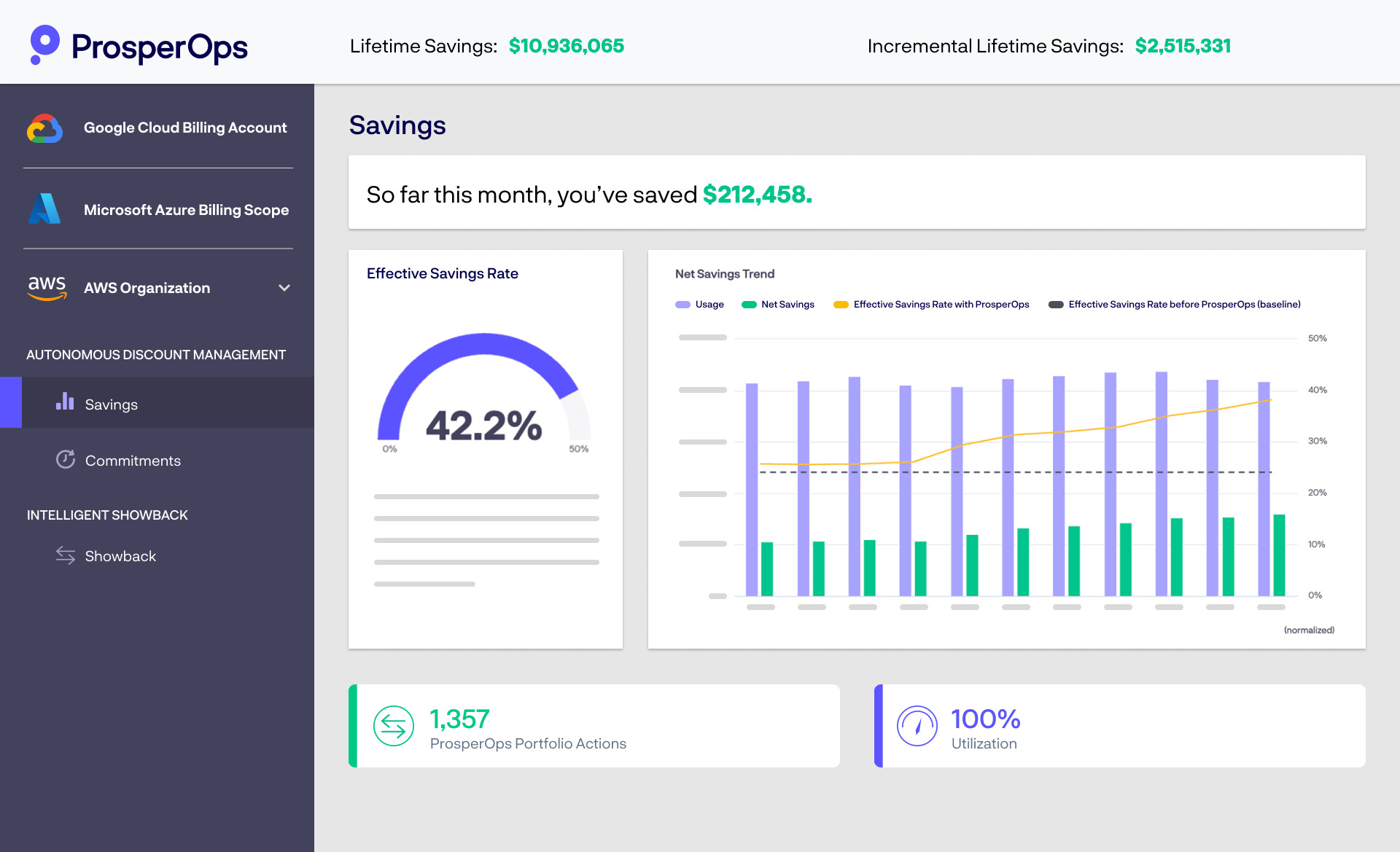
ProsperOps is a FinOps automation platform that focuses on reducing cloud costs through autonomous commitment management across AWS, Azure, and Google Cloud. It builds and maintains a portfolio of commitments such as Savings Plans and Reserved Instances that adapts as usage changes, with the aim of maximizing coverage while limiting lock-in risk. The platform measures outcomes using Effective Savings Rate and Commitment Lock-In Risk, and it reports results through its console. It uses least-privilege IAM roles and does not require agents on compute resources. ProsperOps also pairs rate optimization with resource scheduling so the two work together.
Key features include:
- Autonomous Discount Management: Continuously manages a portfolio of commitments that adapts to changes in usage.
- Commitment lock-in management: Works to maximize coverage while reducing the risk of overcommitment.
- ProsperOps Scheduler: Schedules resources and synchronizes those schedules with commitment coverage.
- Intelligent Showback: Reallocates commitment costs and savings for reporting and book close.
- Effective Savings Rate reporting: Tracks savings outcomes and benchmarks across major clouds.
- Multi-cloud support: Operates across AWS, Azure, and Google Cloud.
Limitations (as reported by users on AWS Marketplace):
- Reserved instance scope: The service includes Regional reserved instances, which can leave gaps for capacity reservations.
- Pricing model: ProsperOps charges a percentage of the savings it generates.
- Scope: The platform centers on rate and commitment optimization rather than broad cost visibility.
Source: ProsperOps
8. CAST AI

Best for: Automating Kubernetes and GPU cost optimization
Strengths: Autoscaling, rightsizing, Spot automation
Things to consider: Centered on Kubernetes and container workloads
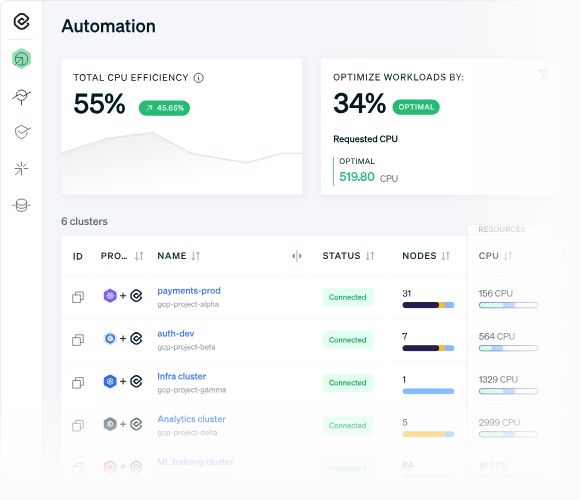
CAST AI is an automation platform for cloud-native and AI workloads that turns Kubernetes signals into automated actions. It connects to EKS, AKS, GKE, and on-premises clusters in read-only mode and then rightsizes pods, scales nodes, and manages Spot capacity based on real workload behavior. The platform observes actual usage rather than static configurations and applies changes in real time. It also covers GPU and AI infrastructure optimization and includes agentic runbooks that remediate operational and security issues with approval workflows. Cost monitoring shows actual, requested, and provisioned usage across clusters and workloads.
Key features include:
- Workload rightsizing: Tunes CPU, memory, requests, limits, and replicas based on real workload behavior.
- Infrastructure automation: Provisions compute, improves bin packing, and predicts Spot interruptions ahead of time.
- Kubernetes cost monitoring: Shows actual, requested, and provisioned usage by cluster, namespace, workload, and team.
- GPU optimization: Optimizes GPU and AI infrastructure, including across providers.
- Autoscaler: Scales nodes and workloads in real time rather than on scheduled jobs.
- Self-healing operations: Uses agentic runbooks with approval workflows to remediate drift and policy issues.
Limitations (as reported by users on AWS Marketplace):
- Pricing for small clusters: The cost can feel steep for very small, static clusters with little to optimize.
- Decision transparency: Some users describe the automated decision logic as a black box and test guardrails before trusting production workloads.
- Workload scope: The platform centers on Kubernetes and container workloads.
Source: CAST AI
9. Densify

Best for: Rightsizing Kubernetes, GPU, and cloud instances
Strengths: ML-driven sizing and workload placement
Things to consider: Interface can be slow at times
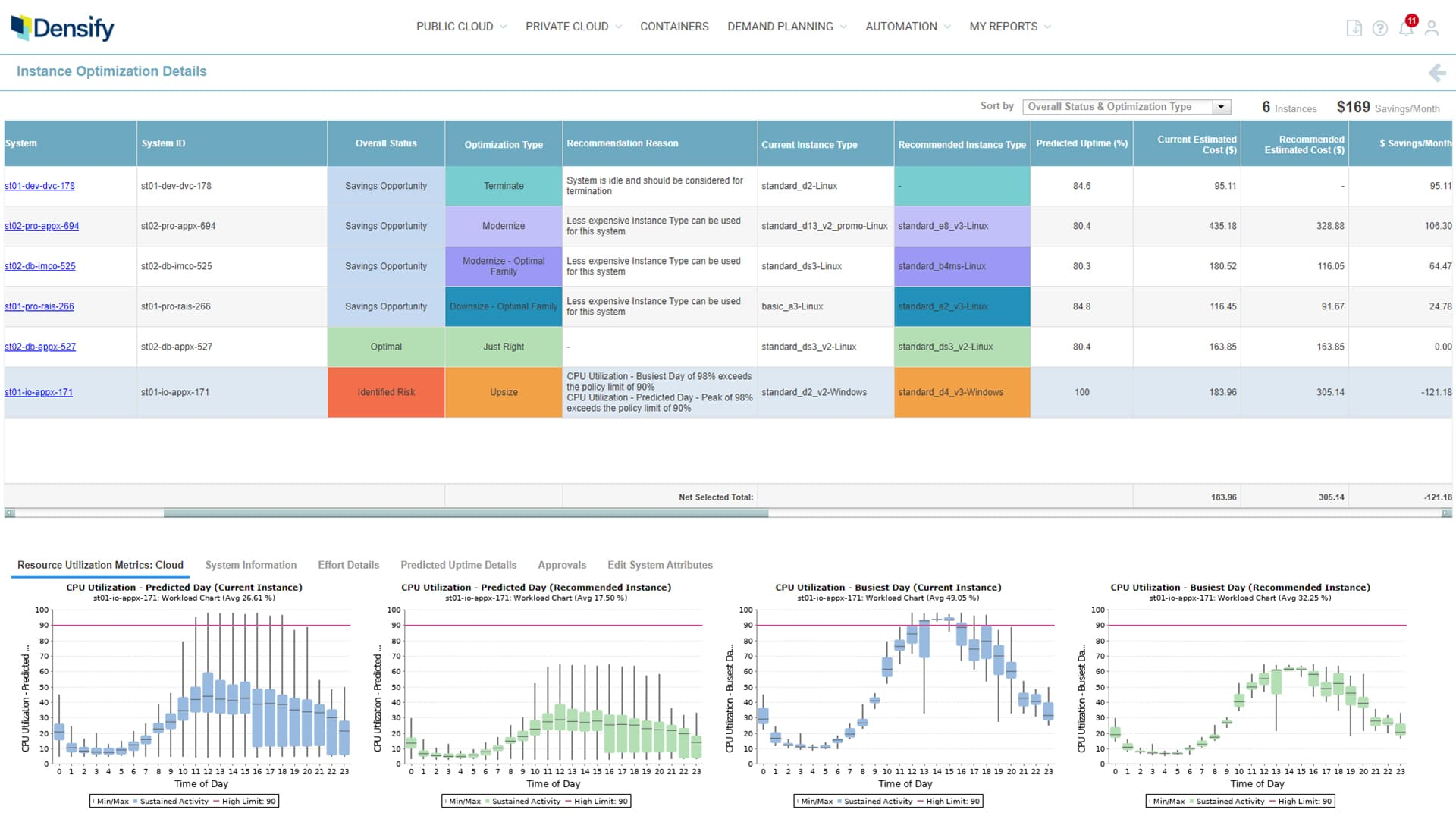
Densify is an optimization platform, now offered as Kubex, that analyzes Kubernetes, GPU, and cloud infrastructure to recommend and automate resource changes. It uses a machine learning engine to model workload behavior and then rightsizes workloads, selects node types, and places pods for higher density. The platform supports human-in-the-loop or automated execution through its automation controller, and it runs across cloud and on-premises environments. It covers supporting cloud instance optimization in addition to containers, matching workloads to efficient instance types across AWS, Azure, and GCP. GPU features include fractioning, scheduling, and instance-type recommendations.
Key features include:
- Automated rightsizing: Sets pod requests and limits, with human-in-the-loop or fully automated execution.
- Node optimization: Selects node types and CPU-to-memory ratios from learned workload behavior.
- Bin packing: Places long-running workloads for higher density and elasticity.
- GPU optimization: Fractions and schedules GPU resources and recommends GPU instance types.
- Cloud instance optimization: Matches workloads to efficient compute instances across AWS, Azure, and GCP.
- Predictive scaling: Pre-provisions nodes ahead of demand using a machine learning engine.
Limitations (as reported by users on G2):
- Interface performance: The interface can be slow or unresponsive with long load times.
- Data access: Much of the data sits in the GUI and is harder to access outside it.
- Integration and depth: Some users note gaps integrating with third-party tools and would like deeper analytics and customization.
Source: Densify
AWS-Native Cost Management Tools
10. AWS Cost Explorer

Best for: Native visualization of AWS cost and usage trends
Strengths: Preconfigured views, forecasting, Amazon Q analysis
Things to consider: Limited to AWS, recommendations not executed
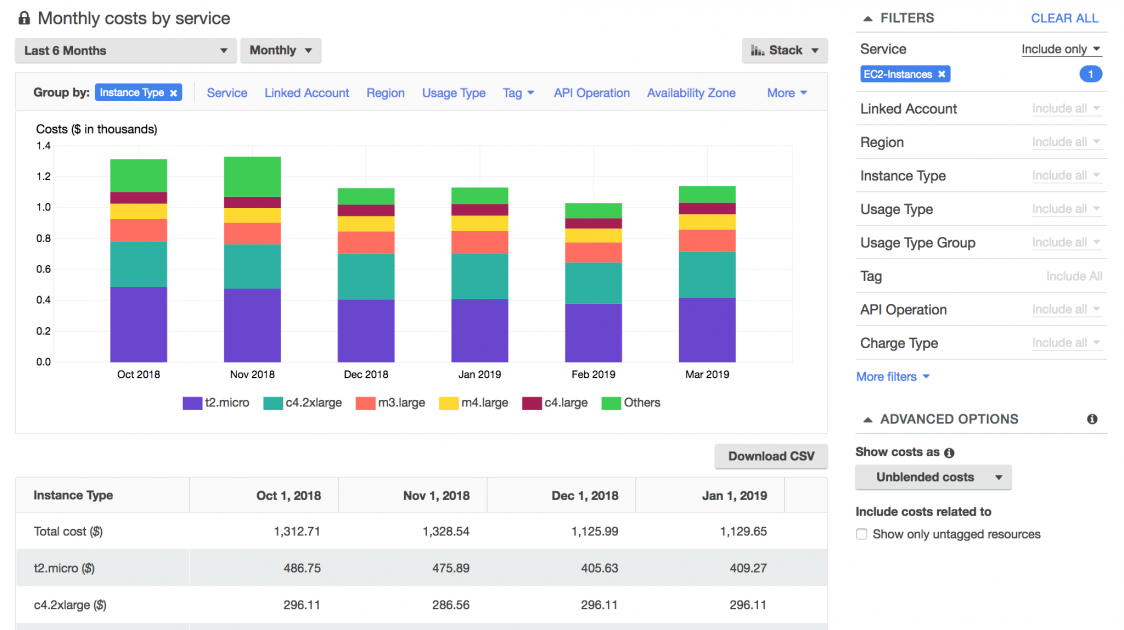
AWS Cost Explorer is the native AWS interface for visualizing, understanding, and managing cost and usage over time. It provides preconfigured views and custom reports that analyze cost and usage data at a high level or in detail. Users can filter and group data by service, account, or tag to identify trends and cost drivers, and they can create forecasts for a future range. Recent additions let users ask questions in plain language and receive insights from Amazon Q Developer while the charts update automatically. It also offers intelligent cost explanations that cover trends, top drivers, and anomalies.
Key features include:
- Preconfigured views: Shows cost, usage, and business insights through built-in views.
- Filtering and grouping: Breaks down cost and usage data by service, account, or tag.
- Custom reports: Creates, saves, and shares reports for different data sets.
- Cost and usage forecast: Projects cost and usage for a future time range.
- Natural language analysis: Answers cost questions in plain language with Amazon Q and updates visualizations automatically.
- Intelligent cost explanations: Explains cost trends, top drivers, and anomalies on demand.
Limitations (based on publicly available sources):
- Single-cloud scope: It is limited to AWS, so multi-cloud reporting needs additional tools.
- Cross-account allocation: Allocating costs across many accounts can be cumbersome.
- Action gap: It surfaces insights but does not execute optimizations, and data typically refreshes about once a day.
Source: AWS
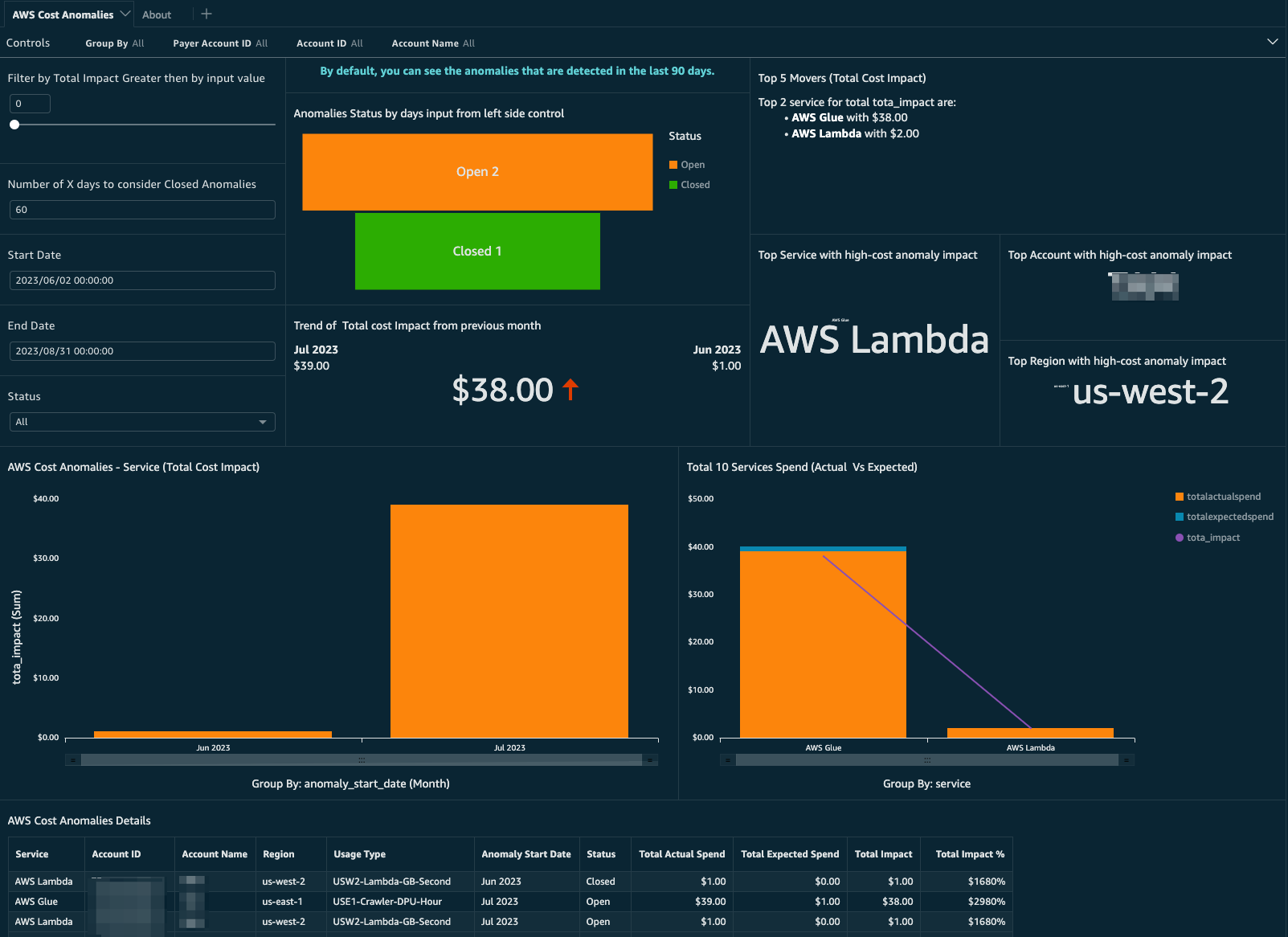
11. AWS Cost Anomaly Detection
Best for: Native machine learning alerts on AWS spend spikes
Strengths: Managed monitors, ML detection, SNS alerts
Things to consider: Detects but does not remediate anomalies
AWS Cost Anomaly Detection uses machine learning to identify unusual spend and its likely root causes within AWS. Teams set up monitors in a few steps, and managed monitors automatically track services, member accounts, cost allocation tags, or cost categories, adapting as the organization grows. The model considers trends and seasonality to reduce false positives. Alerts can be sent individually or as daily or weekly summaries through Amazon SNS or email, and SNS topics can route them to Slack, Microsoft Teams, or Amazon Chime. Users can also review anomalies in AWS Cost Explorer.
Key features include:
- Machine learning monitors: Identifies anomalous spend and root causes for quick action.
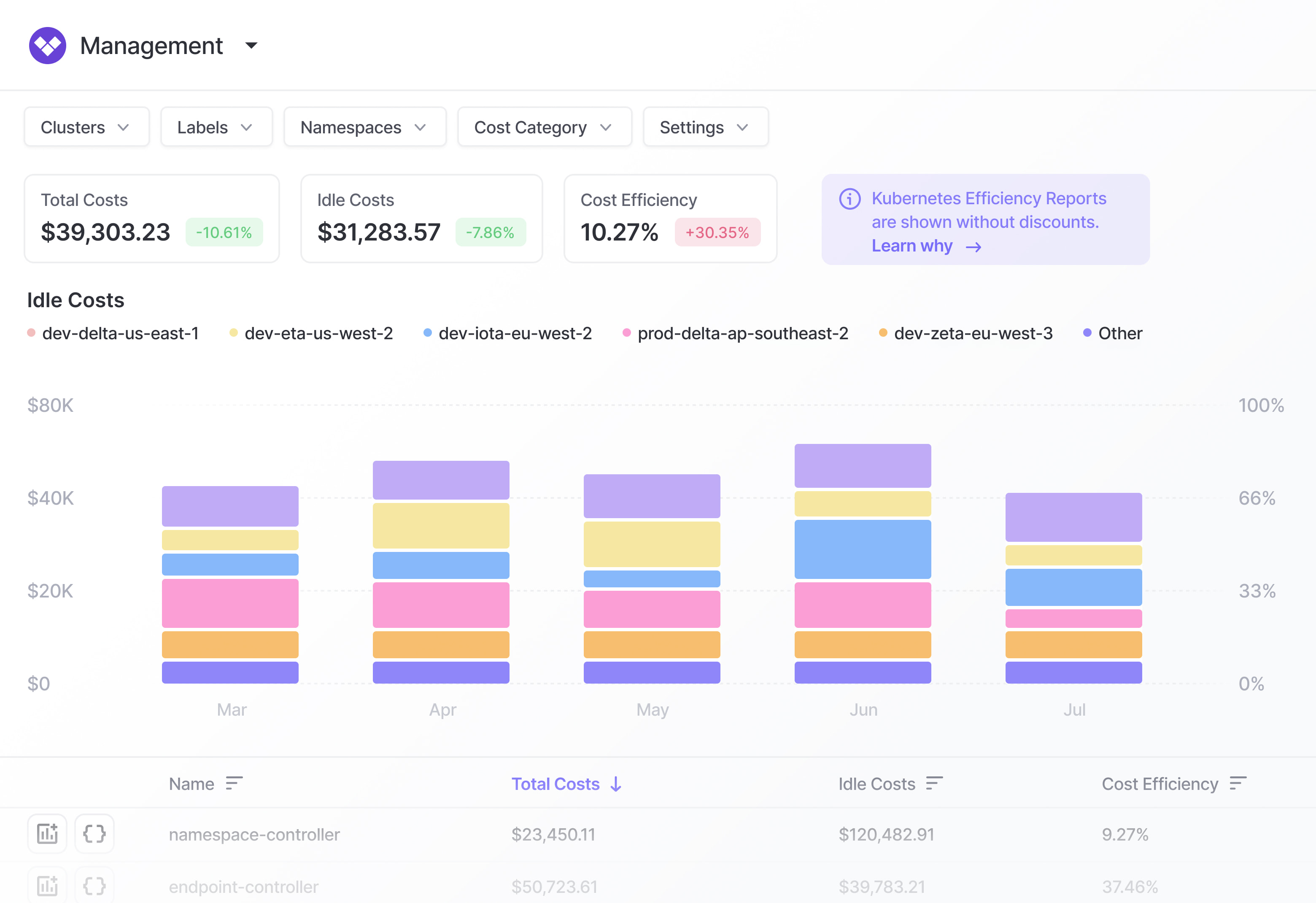
- Managed monitors: Track services, member accounts, tags, or cost categories and adapt as the organization grows.
- Custom thresholds: Define anomaly thresholds and choose alert frequency.
- Alert delivery: Sends alerts by email or Amazon SNS, including to Slack and Microsoft Teams.
- Cost Explorer integration: Visualizes daily cost trends filtered to the spend that matters.
Limitations (based on publicly available sources):
- Detection only: It detects anomalies but does not remediate them.
- Single-cloud scope: It is limited to AWS.
- Tuning: Some tuning may be needed to balance sensitivity and false positives.
Source: AWS
12. AWS Cost Optimization Hub
Best for: Consolidating AWS optimization recommendations
Strengths: 18+ recommendation types, savings ranked
Things to consider: Recommendations only, AWS environments
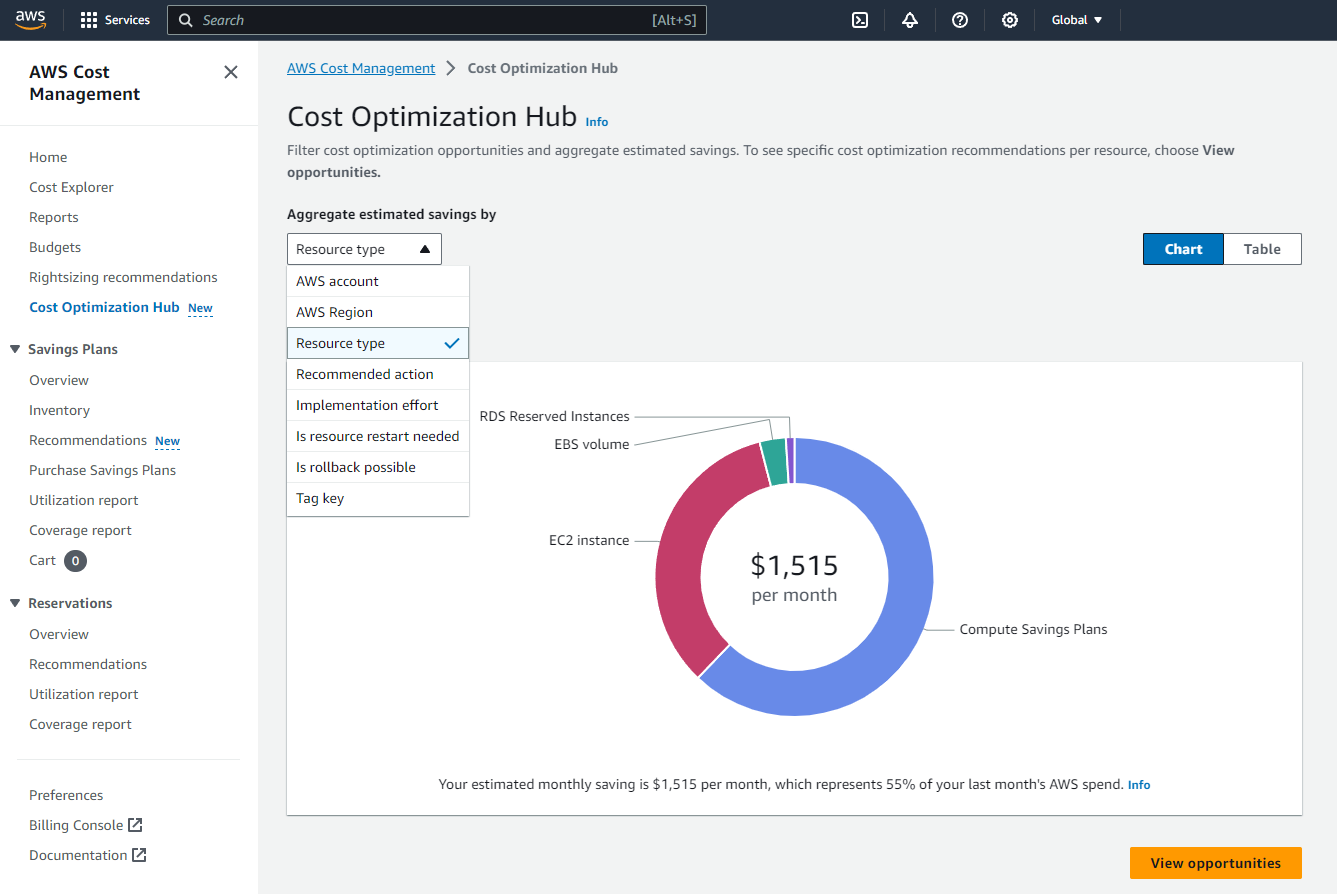
AWS Cost Optimization Hub consolidates cost optimization recommendations across AWS accounts and Regions into a single dashboard. It brings together more than 18 recommendation types, including EC2 rightsizing, Graviton migration, idle resource detection, database recommendations, and Reservation and Savings Plans guidance. The hub quantifies and aggregates estimated savings while accounting for an organization's specific discounts, so teams can compare and prioritize opportunities. It supports analysis across payer and linked accounts to help benchmark performance and set goals. Users can query recommendations interactively to find the highest-impact actions.
Key features include:
- Recommendation consolidation: Brings together more than 18 recommendation types in one dashboard.
- Savings quantification: Estimates and aggregates savings, accounting for Reserved Instances and Savings Plans discounts.
- Cross-account view: Analyzes opportunities across payer and linked accounts and Regions.
- Prioritization: Ranks recommendations by estimated savings.
- Interactive queries: Answers cost optimization questions through a single interface.
Limitations (based on publicly available sources):
- Recommendations only: It surfaces recommendations but does not execute them.
- Single-cloud scope: It covers AWS environments.
- Manual follow-through: Acting on recommendations still requires manual work.
Source: AWS
13. AWS Trusted Advisor

Best for: Best-practice checks across cost and other areas
Strengths: Cost checks plus security and performance
Things to consider: Full checks need a paid Support plan
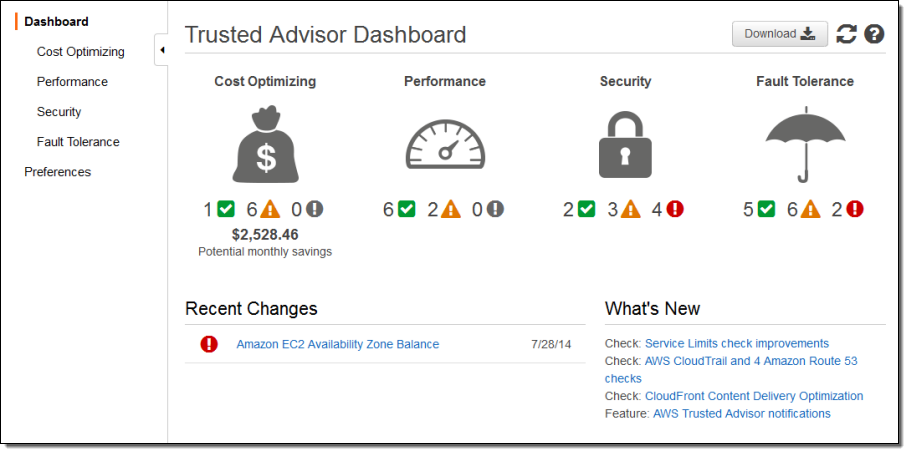
AWS Trusted Advisor evaluates an AWS environment against best-practice checks and recommends actions to remediate deviations. Its checks span cloud cost optimization, performance, resilience, security, operational excellence, and service limits, so cost guidance sits alongside broader operational guidance. The service continuously evaluates the environment and surfaces recommendations as conditions change. For customers on Enterprise Support or Unified Operations plans, Trusted Advisor Priority adds context-driven and prioritized recommendations from the AWS account team. This makes it a broad checkpoint rather than a specialized FinOps platform.
Key features include:
- Cost optimization checks: Evaluates the environment against cost best practices and recommends actions.
- Multi-category checks: Also covers performance, security, resilience, operational excellence, and service limits.
- Continuous evaluation: Regularly checks the environment for deviations from best practices.
- Trusted Advisor Priority: Provides prioritized recommendations for Enterprise or Unified Operations plans.
Limitations (based on publicly available sources):
- Support plan requirement: The full set of cost checks requires a Business or Enterprise Support plan.
- Breadth over depth: It spans many categories rather than specializing in FinOps.
- Action gap: It recommends actions but does not execute them.
Source: AWS
How Finout Helps You Manage AWS Costs
If your AWS bill is spread across multiple accounts, teams, and services, Finout gives you one place to understand it. MegaBill brings your cloud, Kubernetes, AI, and SaaS costs into a single view, and Virtual Tags let you allocate spend without waiting on a tagging cleanup project or changing live infrastructure.
That visibility is only the start. CostGuard helps you find rightsizing opportunities, idle resources, and commitment gaps, while anomaly detection flags unusual spend before it turns into a month-end surprise. FinOps Agents add another layer by investigating waste and anomalies, tracing likely root causes, and pushing the work into tools your teams already use.
Finout also helps when the question is planning, not just reporting. Financial Plans tie budgets and forecasts to live cost data, and Billy lets you ask natural-language questions about AWS spend and get answers backed by charts from your actual environment, which makes it easier for finance, engineering, and FinOps teams to work from the same numbers.
Because Finout is available through the AWS Marketplace and eligible for EDP spend, you can adopt it in a way that fits existing procurement. If you want to see how it would work in your own environment, you can book a demo and walk through your AWS cost data with our team.

.svg)