
Orchestration Agent

Close the loop on
cloud and AI waste

The Orchestrator routes every waste and anomaly Finding to its owner and tracks it until the ticket is closed, so savings don't slip through the cracks.


orc-hero-illustration
See it in action

The best FinOps teams run on Finout

The Detector tells you what.
The Investigator tells you why.
The Orchestrator gets it fixed.

The Orchestration Agent picks up where the Investigator leaves off. It takes every waste and anomaly Finding and turns it into action, at the level of automation you choose.

  1. The Detector

    01 Detector · Spots the waste

    “orders-db on RDS is oversized in prod.”

    Meet the Detector
  2. The Investigator

    02 Investigator · Explains why

    Cause, owner and cost: Data Platform team, est. $23K/mo.

    Meet the Investigator

Finout Orchestrator mascot, a wizard with a staff

03You are here

Orchestrator

Gets it fixed

  • Ticket opened in Jira
  • Maya notified in Slack
  • Ticket closed, savings verified

Act on every Finding, faster

It works for savings opportunities and cost anomalies alike, so teams can optimize and fix issues without waiting on a handoff.
orc-step-1

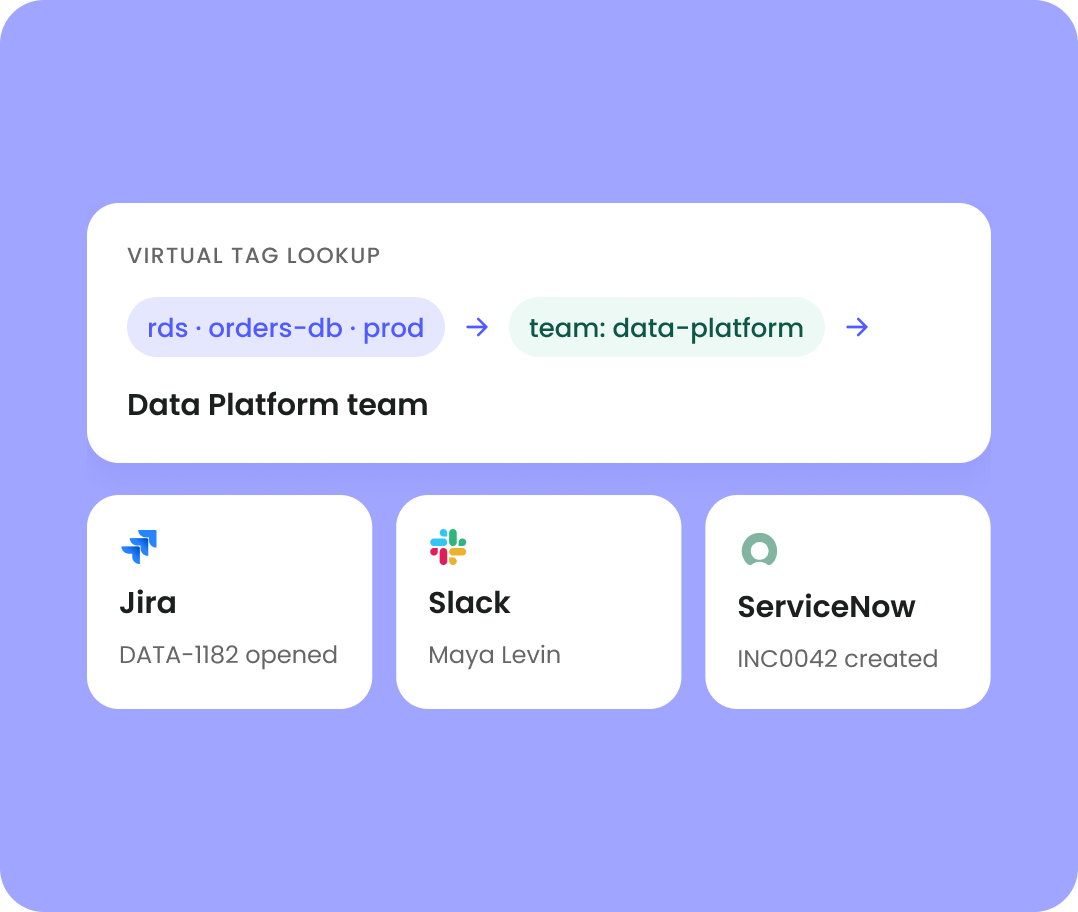
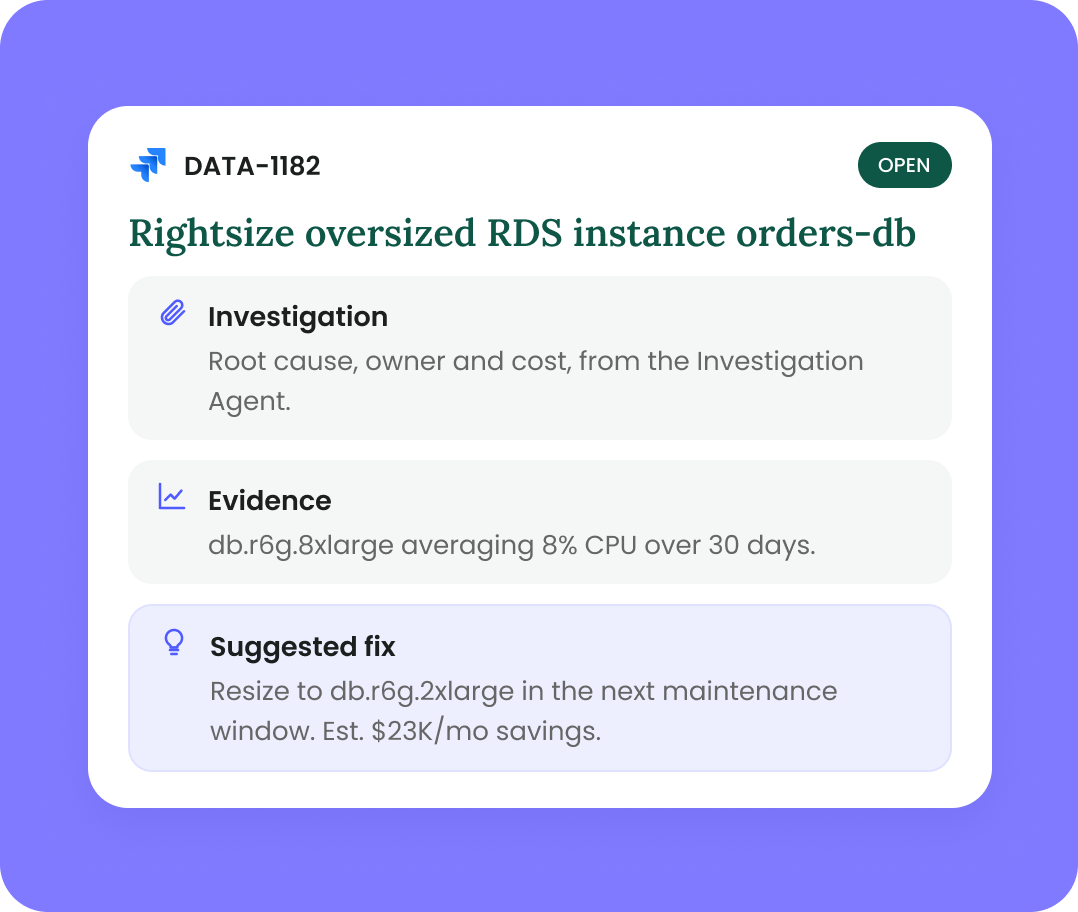
The Orchestrator uses your Virtual Tags to find the owner. Then it opens the ticket or posts the message in Jira, Slack or ServiceNow, with no forwarding and no guessing.

Every ticket carries the investigation, the evidence and a suggested fix, so owners don't have to start from scratch.

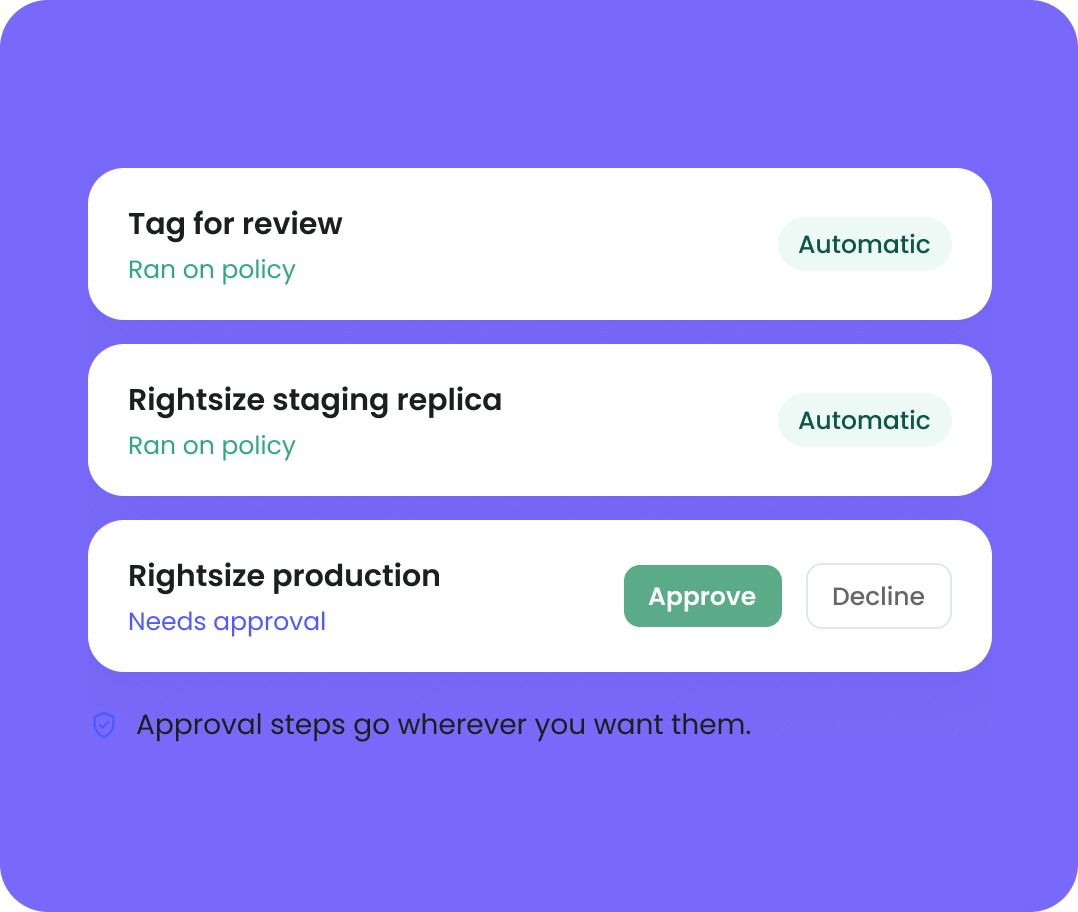
Add approval steps wherever you want them. An owner or manager approves in a couple of clicks before anything changes.

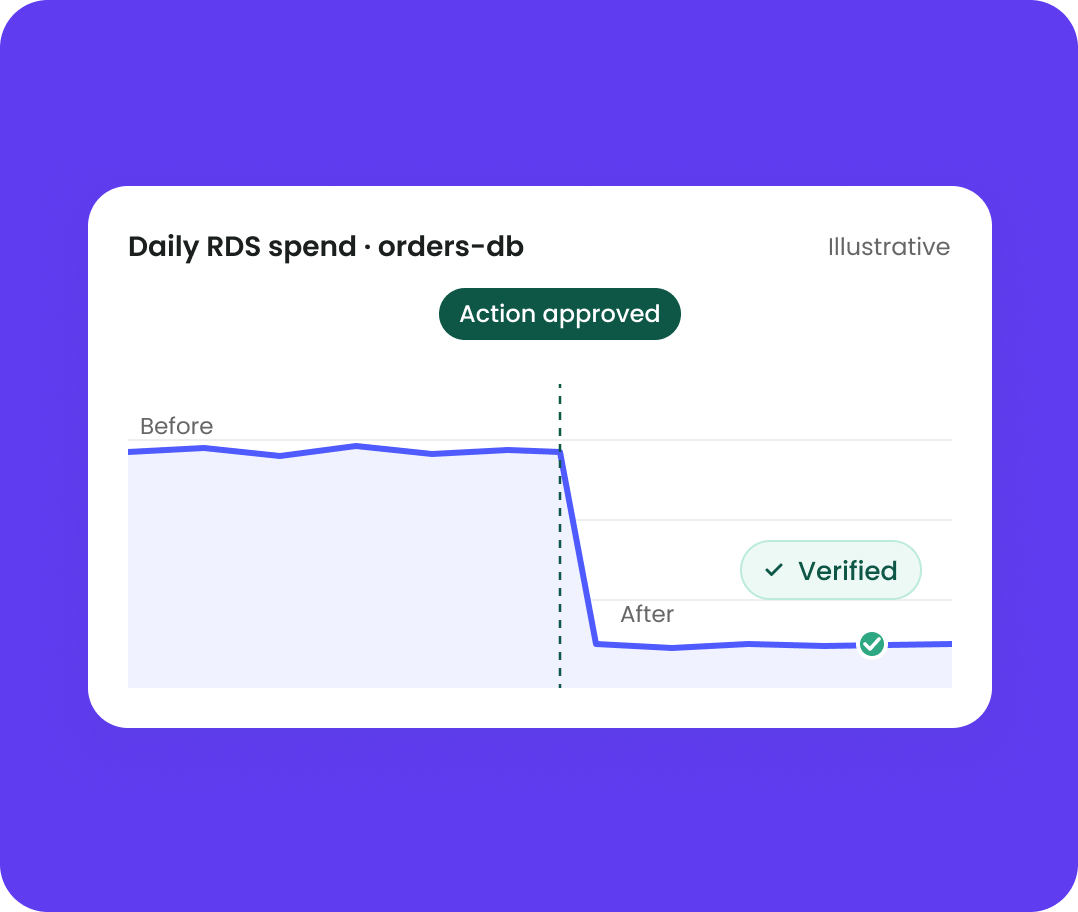
The Orchestrator follows every action until it's done and checks the result against your bill. The savings you report are savings you made.

Automate at your own pace

Start with tickets. Automate when you're ready.

Trust grows one workflow at a time. You decide how much the Orchestrator does on its own.

You do moreOrchestrator does more

What the Orchestrator doesLevel 2 of 3

Approve Approval

Asks the owner or a manager first, then carries out what they sign off on.

Orchestrator → Maya Levin

Resize orders-db to db.r6g.2xlarge?
Est. savings $23K/mo.

ApproveDecline
How the Orchestrator works

The Orchestrator journey

Customizable automation. Hand Finout as much or as little of the work as you like, and add more over time.

Built for trust

You set the rules. The Orchestrator follows them.

Humans approve what can't be undone

Reversible steps run on policy, and irreversible ones always wait for a person.

Every action on the record

A full audit trail shows what triggered each action, who approved it, what changed and when.

Fixed means verified

Nothing is marked done until the spend moves on your bill.

Your scope, your permissions

Workflows run only where you allow them, on the resources and environments you choose.

Built for the people who own the bill

10X your performance using Finout’s Orchestration Agent

Owns the policy

FinOps lead

Set the policy once, stop dismissing.

Calculator showing savings — FinOps illustration

Owns the resource

Engineering

Findings that respect your reasons.

Cloud and wrench — engineering illustration

Owns the number

Finance

A savings number that holds up in the room.

Switch and bar chart — finance illustration

"Finout allows us to act on cost-saving opportunities faster. We were able to identify and resolve inefficiencies faster, thanks to Finout's near real-time insights."

FAQs

01 What is a FinOps Orchestration Agent?

It's an AI agent that turns cost Findings into action. It routes each Finding to its owner, coordinates approvals, carries out approved changes and checks the result on your bill.

02 How is the Orchestration Agent different from the Detection and Investigation Agents?

The Detection Agent finds waste and anomalies. The Investigation Agent explains why they happened, what they cost and who owns them. The Orchestration Agent takes that case and gets it fixed.

03 Which tools does the Orchestration Agent work with?

It sends tickets and messages to Jira, Slack and ServiceNow, so owners can act in the tools they already use.

04 Does the Orchestration Agent change my cloud infrastructure?

Only if you allow it. You decide what stays a ticket, what needs approval and what runs on its own. Destructive actions always need a person to approve them.

05 How do I know an action actually saved money?

The Orchestrator tracks every action until it's done, then checks the result against your bill in Finout. The savings you report reflect real changes in spend.

06 Can it handle cost anomalies, not just savings opportunities?

Yes. A new anomaly can start a workflow that routes the case to the team that owns the cost and opens a ticket, the same day it happens.

07 Why not build these workflows ourselves?

You can, but most teams find it slow to connect every cost source, owner and tool. The Orchestrator runs on the cost data you already allocate in Finout, so owners are already mapped.

orc-mascot
Orchestration Agent

Stop forwarding Findings.
Start fixing them.

See how the Orchestration Agent takes every Finding from flagged to fixed.