
















Amazon SageMaker is a comprehensive machine-learning service designed to simplify the process of building, training, and deploying machine-learning models. It provides essential tools and capabilities that enable organizations to efficiently manage their ML workflows. As businesses increasingly adopt machine learning to gain insights and improve operations, SageMaker's integration with advanced AI features — including generative AI via Amazon Bedrock and agentic workflows — positions it as a key enabler of these transformations within an AWS FinOps framework.
For organizations looking to leverage SageMaker, understanding its pricing structure is crucial to avoid unexpected costs. This article explores SageMaker's updated 2026 pricing models and offers tips for cost optimization to help you manage your cloud spending effectively.
This is part of a series of articles about AWS Pricing
Related content:
-
Read our guide to AWS EC2 Costs
How Is Amazon SageMaker Priced?
Amazon SageMaker pricing is based on your usage of various services and features. You'll be charged for compute instances, storage, data transfer, and other services used during training, hosting, and data processing. There are different pricing models — on-demand and Savings Plans — to optimize costs based on your needs.
Amazon SageMaker is a fully managed service that provides a wide range of tools for high-performance, cost-effective machine learning across various use cases. It enables users to build, train, and deploy models at scale through an integrated development environment that includes notebooks, debuggers, profilers, pipelines, and other MLOps capabilities.
Here's a breakdown of the key SageMaker pricing components:
- Compute instances: SageMaker offers a wide range of instance types optimized for different workloads (general purpose, compute-optimized, memory-optimized, GPU-based, etc.). Note that SageMaker instances (prefixed with
ml.) typically carry a 20–40% premium over equivalent raw EC2 instances, reflecting the cost of managed infrastructure, OS patching, driver updates, and endpoint management. - Storage: You'll be charged for storage used for your data, models, and artifacts in Amazon S3 and EBS volumes.
- Data transfer: Data transfer costs apply when moving data in and out of SageMaker and other AWS services.
- SageMaker features: Specific features like SageMaker Studio notebooks, Ground Truth data labeling, SageMaker JumpStart, Data Wrangler, and the new SageMaker Data Agent have their own pricing models.
- Training and inference: Costs are incurred for the time instances are used for training your models and for running inference (generating predictions).
SageMaker offers the following pricing models:
- On-Demand: Pay for resources as you use them, without long-term commitments.
- Savings Plans: Offer lower prices — up to 64% — in exchange for a commitment to a consistent amount of usage over a period of one or three years.
- AWS Marketplace: If you use products from the AWS Marketplace within SageMaker, you'll be charged based on the vendor's pricing model for those products.
AWS SageMaker Pricing Overview (2026)
Amazon SageMaker uses a flexible, pay-as-you-go pricing model with no upfront costs or long-term commitments. In 2026, the platform has evolved significantly with the introduction of SageMaker Unified Studio, a rebrand and consolidation of many formerly separate services. Pricing now spans several distinct capability areas.
SageMaker Unified Studio
SageMaker Unified Studio is a single data and AI development environment that provides an integrated experience for analytics, model development, and generative AI. Unified Studio itself has no direct cost, but users are billed for the underlying AWS services consumed through it — compute, storage, third-party integrations, and SageMaker Catalog.
Important: AWS offers a quick setup option to create an IAM Identity Center (IdC)-based domain, but this may charge additional fees for networking resources configured on your behalf. For full cost visibility, the manual setup option is recommended.
SageMaker Unified Studio Free Tier covers:
- Always-free core requests: domain creation, project and user management, policy configuration
- Monthly AWS Free Tier allocations carried over for services used through Studio, including SageMaker Catalog, notebooks, JupyterLab, and Amazon Q
- For SageMaker AI notebooks: 250 hours on an
ml.t3.mediuminstance for the first 2 months
SageMaker AI
SageMaker AI (the ML-focused component, formerly just "SageMaker") follows a pay-as-you-go model. Key billing dimensions include:
- Instance usage for training, hosting, and notebooks
- Storage — Amazon EBS volumes, S3
- Data processing jobs via SageMaker Processing
- MLOps tooling — Pipelines, Model Monitor
- Feature Store and Data Wrangler (separate pricing)
SageMaker Data Agent (New in 2026)
SageMaker Data Agent is an AI-powered agent within SageMaker notebooks that accelerates data querying, exploratory data analysis, and ML model development. It uses a credit-based pricing model:
| Pricing Dimension | Price |
|---|---|
| Data Agent Credit | $0.04 per credit |
A credit represents a unit of work in response to a prompt. Simple prompts consume less than 1 credit; complex prompts (e.g., generating a complete data transformation pipeline) consume more. Credits are metered to the second decimal point, with a minimum charge of 0.01 credits per request. As a reference, generating an entire data transformation pipeline typically costs 4–8 credits ($0.15–$0.30).
SageMaker Lakehouse
SageMaker Lakehouse unifies data across Amazon S3 data lakes and Amazon Redshift data warehouses. Pricing depends on underlying services used:
- Metadata storage and API requests: Follow AWS Glue Data Catalog pricing, including Free Tier
- Data storage: Amazon S3 or Amazon Redshift Managed Storage charges apply
- Automated statistics collection and Apache Iceberg table maintenance: Additional usage-based fees
- Fine-grained permissions via AWS Lake Formation: Provided at no extra charge
SageMaker Catalog
SageMaker Catalog (built on Amazon DataZone) governs data and model access, with charges based on requests, metadata storage, compute, and AI-driven recommendations.
Monthly Free Tier (per AWS account):
- 20 MB of metadata storage
- 4,000 API requests
- 0.2 compute units
Amazon Bedrock (Generative AI)
Amazon Bedrock, accessible through SageMaker Unified Studio, offers a consumption-based pricing model based on your usage of Agents, Flows, Knowledge Bases, Functions, Guardrails, and the foundation models themselves. Pricing varies by model and token usage.
SQL Analytics
SQL workloads run through Amazon Redshift, priced based on the number of nodes and instance hours. On-demand and reserved instance options are available.
Amazon Q Developer
Amazon Q Developer, the AI coding and analytics assistant integrated into SageMaker, is priced per user per month and supports code generation, testing, security scanning, and optimization.
Amazon SageMaker Pricing Models with Examples
SageMaker Free Tier
The SageMaker Free Tier provides limited, no-cost access to help users get started. For SageMaker Catalog, each AWS account receives monthly:
- 20 MB of metadata storage
- 4,000 API requests
- 0.2 compute units
These allocations reset monthly. Core APIs such as CreateDomain, CreateProject, and Search are always free and do not count toward the 4,000 API request limit.
Examples:
- If your account uses 15 MB of metadata storage: no charge.
- If you make 10,000 API requests: (10,000 − 4,000) × $10 / 100,000 = $0.60
- For 1 compute unit: (1 − 0.2) × $1.776 = $1.42
For SageMaker AI notebooks, the Free Tier covers 250 hours on an ml.t3.medium instance during the first 2 months — after that, every minute of compute is billable.
SageMaker On-Demand Pricing
SageMaker follows pay-as-you-go pricing across all dimensions:
| Pricing Dimension | Rate |
|---|---|
| Metadata Storage (beyond 20 MB) | $0.40 per GB |
| API Requests (beyond 4,000) | $10 per 100,000 requests |
| Compute Usage (beyond 0.2 units) | $1.776 per compute unit |
| AI Recommendation Input Tokens | $0.015 per 1,000 tokens |
| AI Recommendation Output Tokens | $0.075 per 1,000 tokens |
| Data Agent Credits | $0.04 per credit |
| Real-time Inference (ml.t3.medium) | ~$0.04/hour |
| Real-time Inference (production endpoints) | From ~$0.23/hour |
| GPU Instances (high-end, e.g. P4/P5) | $10+/hour |
Hidden costs to watch for:
- Idle inference endpoints running 24/7
- EBS volumes on stopped notebook instances ("zombie notebooks" left running over weekends)
- S3 storage for model artifacts and training datasets
- Data transfer fees between services
- Networking resources provisioned during quick domain setup
SageMaker Savings Plans
Amazon SageMaker Savings Plans offer up to 64% discount in exchange for committing to a consistent hourly spend ($/hour) over a 1- or 3-year term. These plans apply automatically across a wide range of workloads:
- SageMaker Studio Notebooks
- SageMaker On-Demand Notebooks
- SageMaker Processing
- SageMaker Data Wrangler
- SageMaker Training
- Real-Time Inference
- Batch Transform
Savings Plans provide flexibility across instance families, regions, and SageMaker capabilities — you can switch instance types and regions and the discounted rate still applies.
Example rates (US East, 2026):
| Instance | On-Demand Rate | Savings Plan Rate | Savings |
|---|---|---|---|
| ml.t3.large (Notebook) | $0.10/hr | $0.072/hr | 28% |
| ml.m5.4xlarge (Notebook) | $0.922/hr | $0.6768/hr | 27% |
| ml.m5d.24xlarge (Notebook) | $6.509/hr | $4.7664/hr | 27% |
Best Practices for Optimizing Amazon SageMaker Costs
1. Choose Appropriate Inference Options
Inference costs vary significantly depending on the deployment method. SageMaker supports real-time endpoints, batch transform, and serverless inference.
Real-time endpoints are ideal for low-latency applications but require always-on infrastructure, making them expensive when underutilized. For sporadic or unpredictable traffic, serverless inference is more cost-effective — you only pay for compute during active requests. However, note that serverless inference has cold start latencies of 5–10 seconds, making it unsuitable for latency-sensitive applications.
Batch transform is best for high-volume offline predictions where latency is less critical, such as processing historical datasets in bulk.
Analyze your traffic patterns, latency requirements, and cost per invocation to choose the right mode.
2. Implement Multi-Model Endpoints (MME)
Multi-model endpoints allow a single SageMaker endpoint to host and serve multiple models, dynamically loading them into memory on-demand. This significantly reduces infrastructure costs — especially when many models are used intermittently (e.g., personalized recommendation models).
Organize models into Amazon S3 prefixes, monitor loading times, and configure memory allocation based on model sizes to prevent performance degradation.
3. Automate Resource Management
Manual oversight of ML resources leads to unused instances and unnecessary costs. Key automation tools include:
- Lifecycle Configurations: Automatically shut down notebook instances after a period of inactivity. This directly addresses the "zombie notebook" problem, where developers leave instances running over weekends.
- SageMaker Pipelines: Orchestrate end-to-end ML workflows so resources are only active during necessary processing steps.
- Scheduler: Start or stop training jobs and inference endpoints at predefined intervals to match workload patterns.
4. Optimize Data Storage
Efficient storage management is critical, especially when training large models. Implement S3 lifecycle rules to move data from S3 Standard to lower-cost classes (S3 Infrequent Access, Glacier, or Deep Archive) after a set period. Use SageMaker Experiments to log metadata without duplicating entire datasets, and regularly clean up intermediate data, logs, and unused model artifacts.
5. Regularly Monitor Usage and Spending
Cost visibility is essential. AWS provides Cost Explorer, Budgets, and CloudWatch metrics to track resource consumption across training, inference, and data processing jobs. For SageMaker specifically, monitor endpoint invocation counts against inference costs to identify underutilized or oversized endpoints.
Set budget threshold alerts integrated into Slack, email, or ticketing systems to catch overspending early. This is especially important given how quickly GPU instance costs can accumulate.
6. Analyze and Leverage Savings Plans
Review historical usage trends to identify services and instance families with consistent demand before committing. Evaluate both 1-year and 3-year terms — 3-year plans provide greater discounts, but 1-year terms allow more flexibility if workloads shift. Regularly reassess coverage as usage evolves; consumption beyond the committed amount falls back to on-demand rates.
7. Establish Robust Forecasting
Accurate cost forecasting supports budgeting and justifies ML investments. Model costs per project or team, factoring in compute, storage, and inference. Use tagging policies across SageMaker resources for granular accountability. Incorporate historical seasonality and planned business initiatives — such as expected surges in inference traffic during production rollouts — to make forecasts more reliable.
Integrate forecasting with FinOps practices to align engineering and finance teams with consistent definitions and shared visibility.
How Can Finout Help You Manage AWS SageMaker Costs?
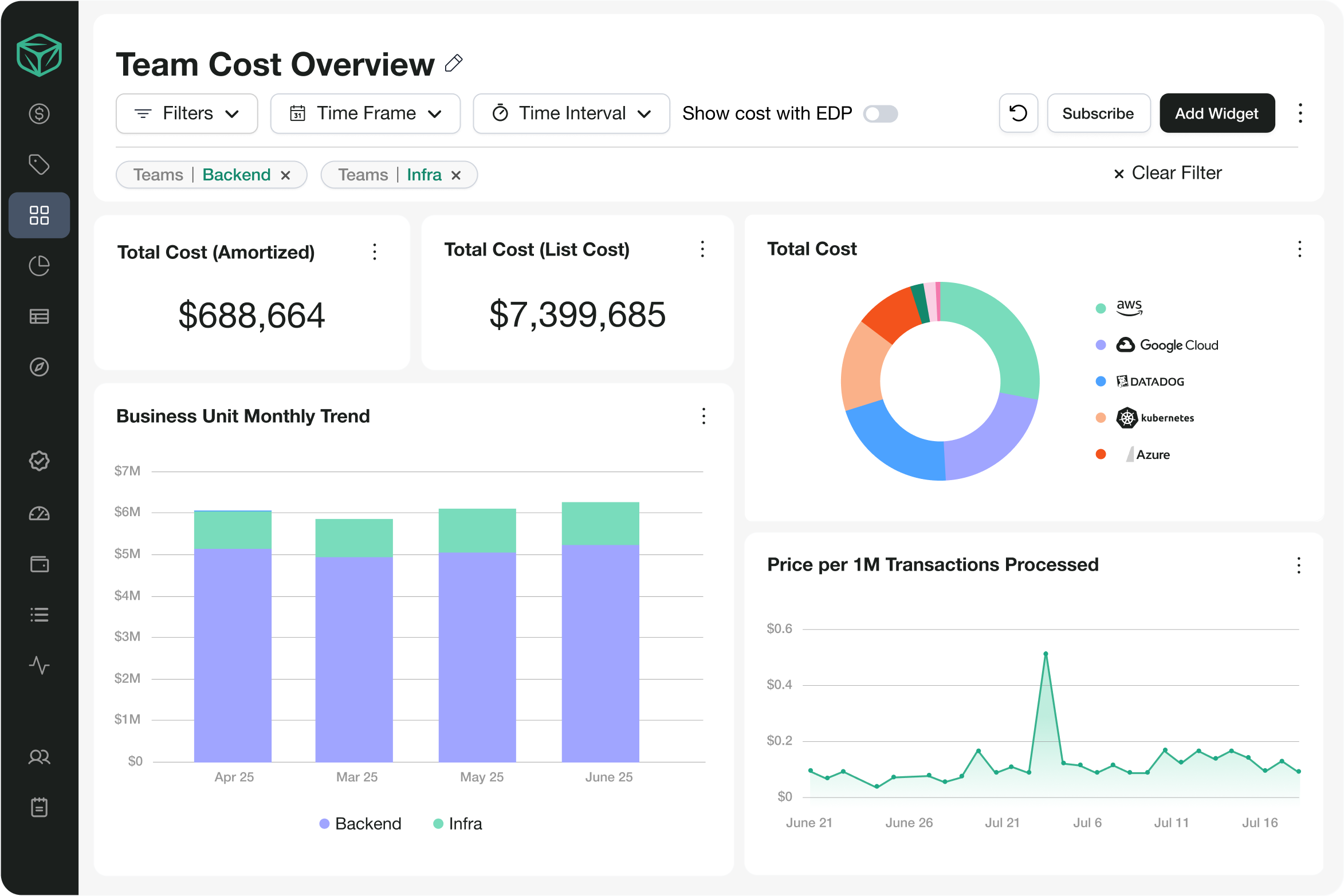
Finout helps manage AWS SageMaker costs by providing detailed cost allocation and visibility features, including unit cost per AI workload and telemetry-based shared cost reallocation. This allows precise tracking of expenses by project, team, or department — even when resources are shared across teams.
With AI-powered Virtual Tags, costs can be tagged on-the-fly based on existing metadata, enabling refined cost tracking without extensive reconfiguration or waiting on engineering. Real-time monitoring and customizable dashboards provide up-to-date insights, helping identify cost anomalies before they hit the bill.
Finout also provides actionable insights for optimizing SageMaker costs — instance right-sizing, coverage gap analysis for Savings Plans, and anomaly detection that catches idle endpoints or unexpected GPU spend. Integration with existing financial and operational tools ensures a unified view of cloud expenses across AWS, Kubernetes, and AI services.
Learn more about Finout’s AI cost management capabilities or book a demo to talk to our experts!

.svg)




