Azure cost monitoring refers to the tools and practices used to track, analyze, and manage cloud spending within Microsoft Azure environments. These tools can be either native solutions provided by Microsoft or third-party platforms that integrate with Azure to offer expanded functionality.
Native tools like Azure Cost Management and Billing give users visibility into resource usage, spending trends, and budget enforcement. They are tightly integrated with the Azure ecosystem, offering built-in dashboards, forecasting, and policy controls to help teams stay within budget and improve cost efficiency.
Third-party cost monitoring tools extend these capabilities by providing multi-cloud support, advanced analytics, and custom reporting. These FinOps tools often include features like anomaly detection, automated savings recommendations, and integration with external financial systems.
This is part of a series of articles about Azure Cost Management
Enterprises often face challenges in managing large-scale cloud deployments, which can quickly lead to budget overruns without visibility and control. Azure cost monitoring addresses these issues by enabling proactive cost management across complex organizational structures. Its features are valuable for enterprises operating across multiple teams, projects, and geographies.
Related content: Read our guide to Azure Cost Optimization
Azure’s native cost monitoring tools such as Cost Management + Billing, Azure Monitor, and Azure Advisor offer capabilities for tracking spending, setting budgets, forecasting usage, and identifying inefficiencies. These tools are deeply integrated into the Azure ecosystem, making them easy to use for teams already managing workloads within Azure.
However, they also have limitations. Native tools can struggle with complex enterprise needs, such as fine-grained access control, custom reporting, or multi-cloud visibility. Reporting flexibility is constrained, real-time insights are limited by data latency, and cost allocation depends heavily on consistent tagging.
Third-party tools complement and extend these native capabilities. They often provide richer analytics, advanced forecasting models, and support for hybrid or multi-cloud environments. They also offer features like anomaly detection, automated remediation, flexible chargeback models, and deeper customization for enterprise-specific workflows.
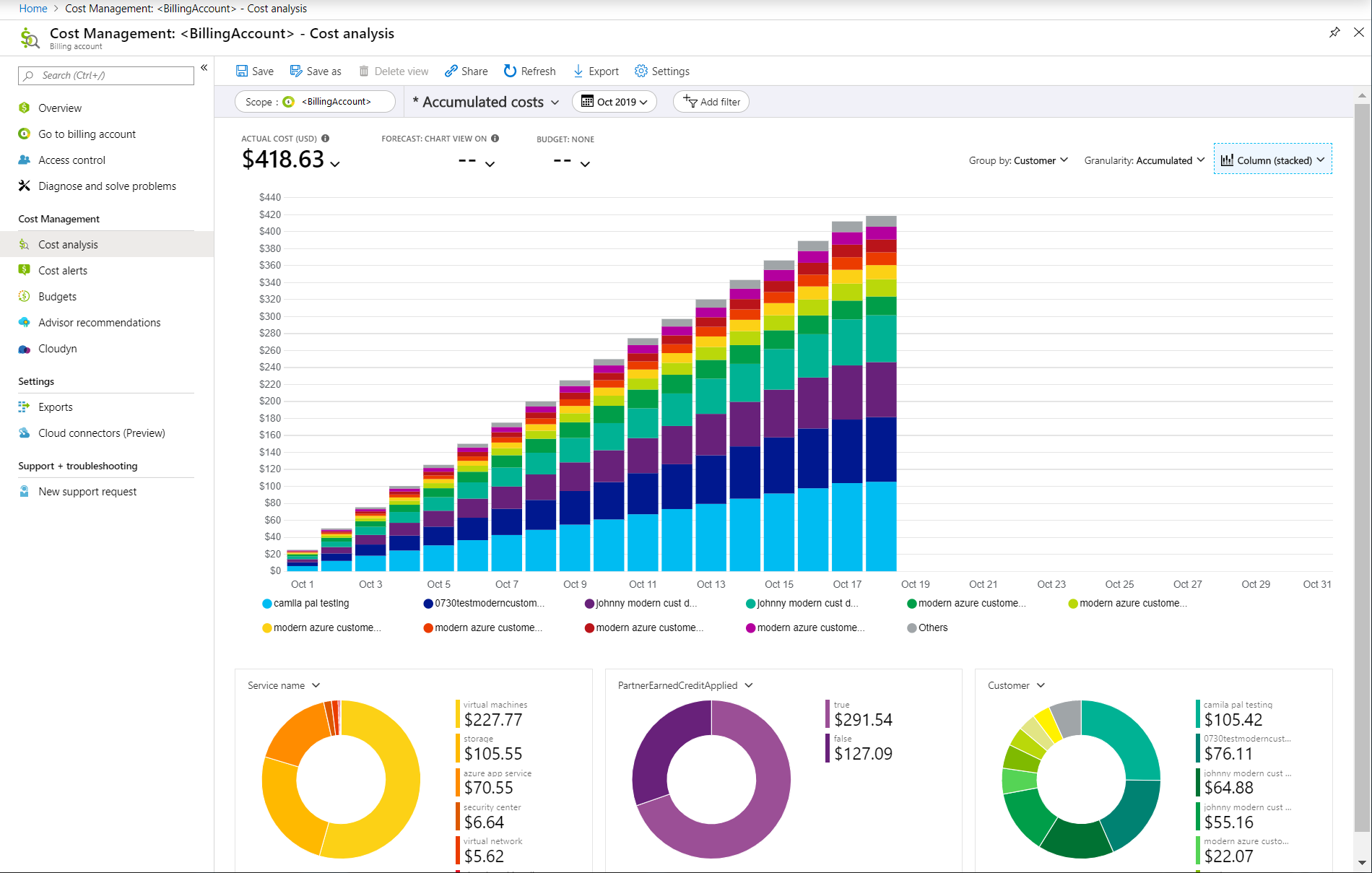
Azure Cost Management + Billing is the foundational service for tracking, managing, and analyzing Azure expenses. It provides detailed breakdowns of cloud usage by subscription, department, resource group, and individual resources. Users can generate cost and usage reports, visualize spending trends, and manage their billing accounts within a unified interface.
This component also supports budget creation, alerting, and forecasting. Organizations can set spending thresholds, receive notifications when costs approach or exceed set budgets, and analyze projected expenditures. By offering both native dashboards and APIs, Azure Cost Management + Billing makes it easier for financial and technical teams to collaborate and maintain fiscal discipline.
Source: Microsoft
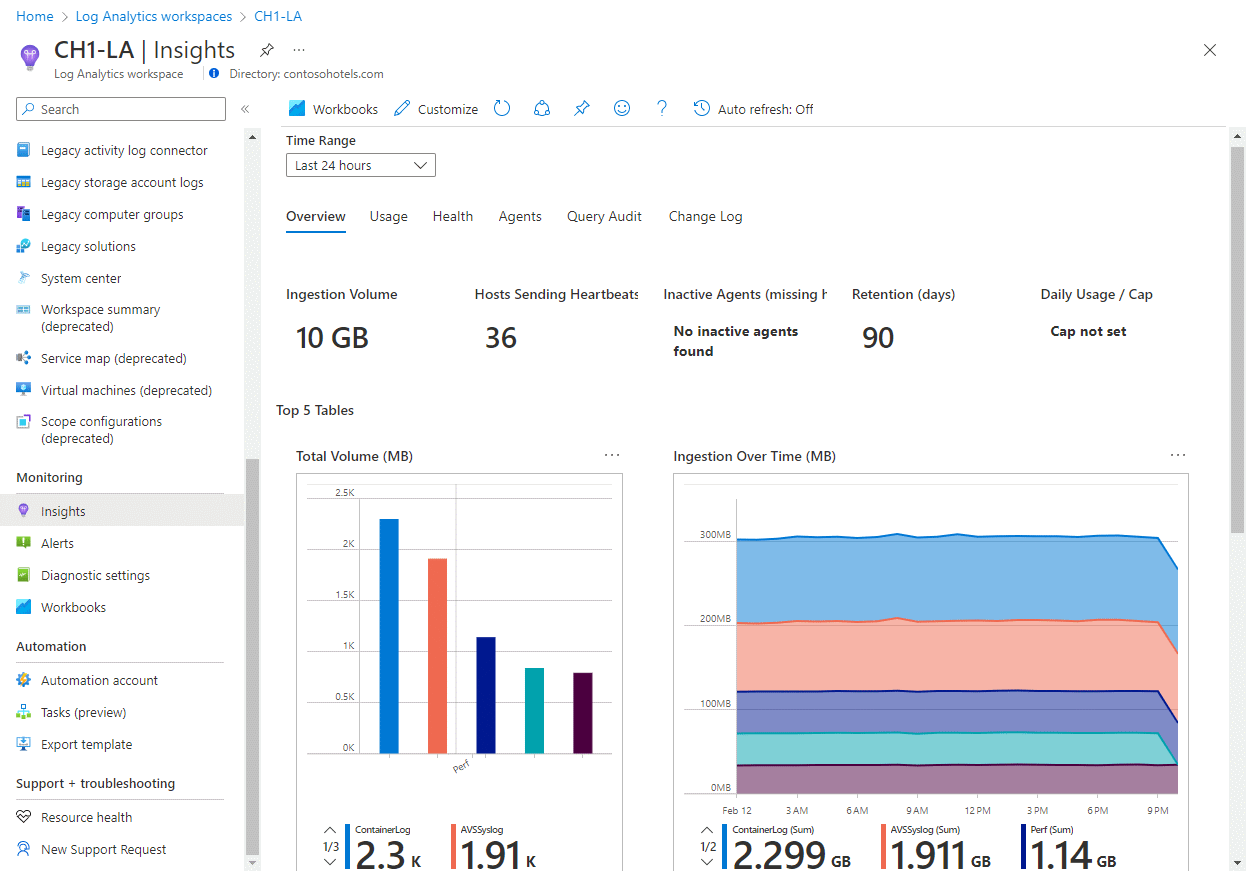
Azure Monitor is a platform for collecting and analyzing telemetry from cloud resources, applications, and infrastructure. Through integration with Log Analytics, it aggregates metrics and logs in a centralized workspace, enabling organizations to gain insights into operational performance and resource utilization patterns.
These capabilities are essential for correlating usage with cost data, helping teams identify inefficient processes, underutilized services, or excessive scaling. With customizable dashboards, queries, and alerting, Azure Monitor and Log Analytics enable proactive monitoring, root-cause analysis, and ongoing optimization of resource allocations in support of financial governance.
Source: Microsoft
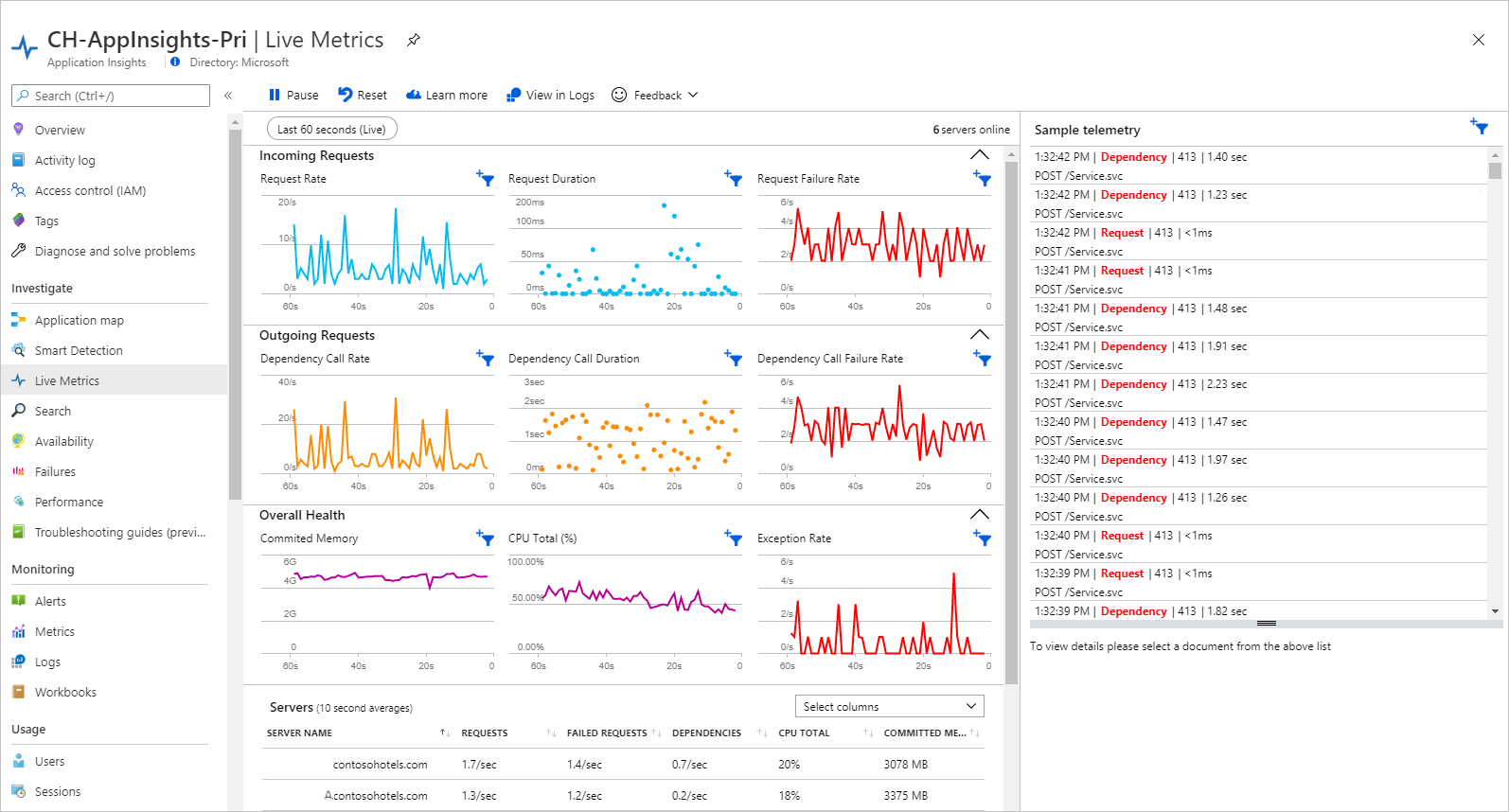
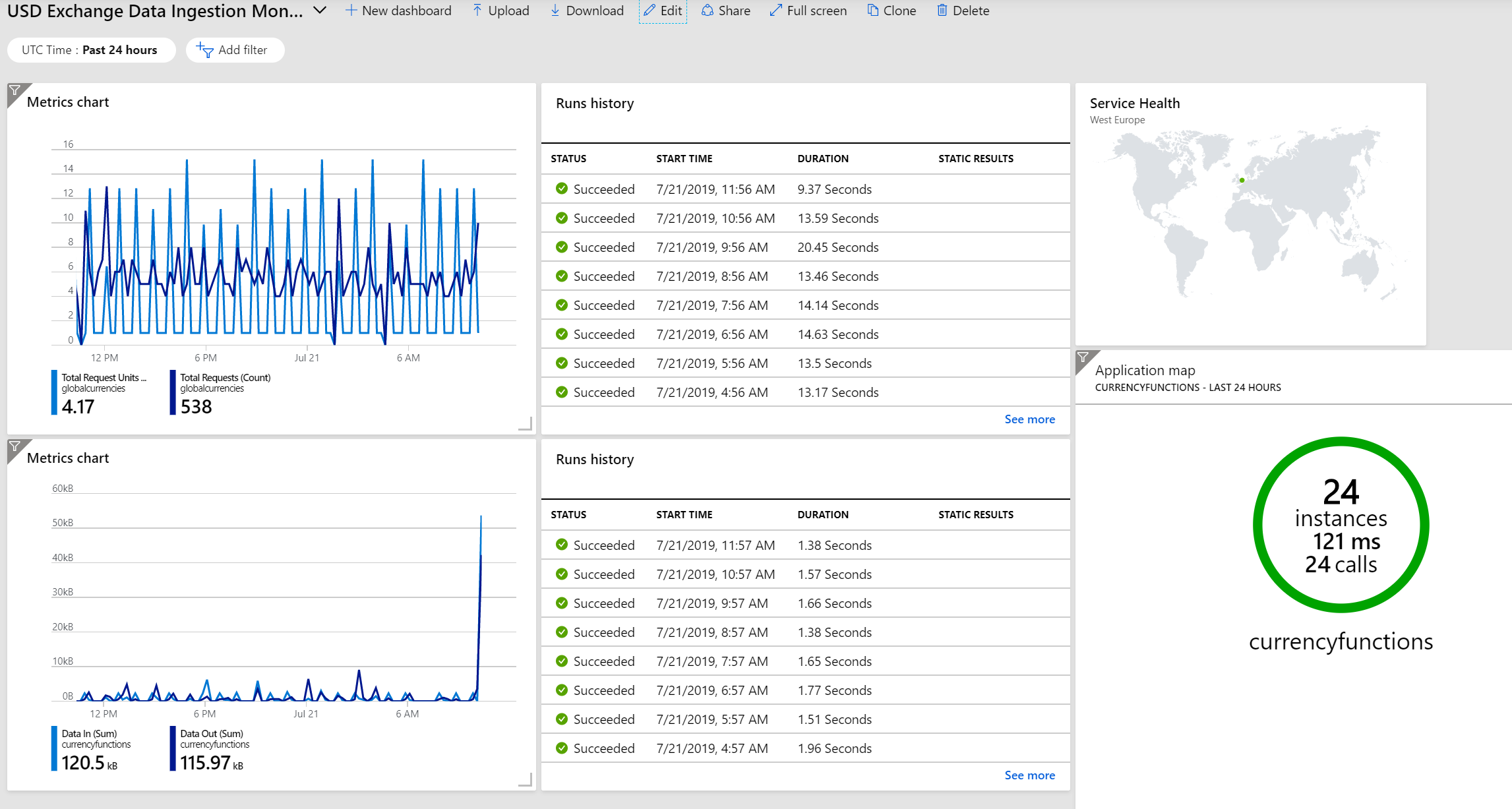
Application Insights monitors the performance and health of live applications deployed on Azure. It collects telemetry such as response times, request rates, and system dependencies, allowing teams to identify bottlenecks or failures that could lead to unnecessary scaling and cost increases.
Metrics collected through Application Insights help correlate application behavior with infrastructure spending. By monitoring traffic patterns, user activity, and service dependencies, organizations can fine-tune the scalability of applications, reduce unnecessary resource consumption, and optimize performance while controlling costs.
Source: Microsoft
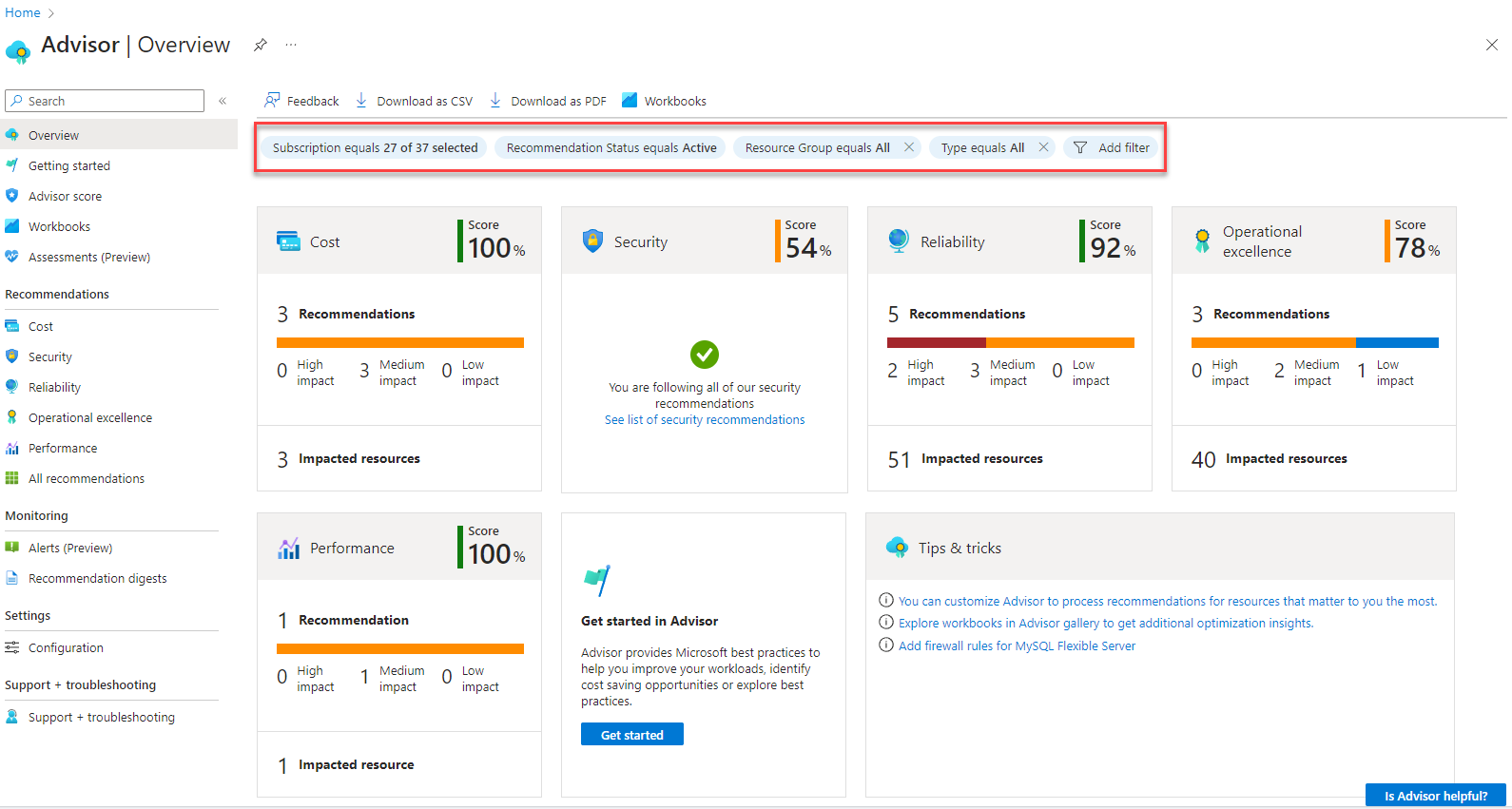
Azure Advisor analyzes resource usage and configuration data to provide best-practice recommendations across cost, security, high availability, and performance categories. Its cost recommendations identify underutilized or idle resources, suggesting actions such as downsizing or deallocating unnecessary assets to reduce spend.
The Recommendations Engine provides actionable insights like right-sizing virtual machines, leveraging reserved instances, and adjusting SKU selections. By continuously scanning the environment for optimization opportunities, Azure Advisor helps organizations maintain efficient resource consumption, maximize value, and minimize avoidable cloud costs.
Source: Microsoft
While Azure Cost Monitoring provides valuable tools for tracking and optimizing cloud spend, it also has several limitations that organizations should be aware of before relying on it as their primary cost management solution:
Here are a few popular third-party Azure cost monitoring tools that provide additional capabilities beyond Azure native tooling.
Finout is a cloud-agnostic FinOps platform that provides a unified view of your entire Azure ecosystem alongside other cloud providers and SaaS tools. While native Azure tools focus on infrastructure-level metrics, Finout elevates cost monitoring to the business level, allowing teams to correlate technical spending with actual business value and unit economics.
Finout’s unique value proposition lies in its ability to break down the silos of cloud billing. Instead of looking at an isolated Azure invoice, Finout uses its MegaBill technology to ingest, normalize, and attribute costs from Azure, AWS, GCP, Datadog, Snowflake, and more into a single source of truth. This is particularly effective for organizations running complex microservices or multi-cloud architectures where Azure is only one piece of the puzzle.
Finout solves the common "tagging debt" problem through its Virtual Tagging engine. In large Azure environments where consistent tagging is difficult to enforce, Finout allows you to create logical rules to allocate shared costs—such as Azure Kubernetes Service (AKS) system overhead or idle resources—without requiring manual updates to your infrastructure code. This enables accurate chargeback and showback models that reflect the reality of your business operations.
IBM Cloudability collects Azure cost data by exporting usage and billing details to Azure Storage accounts. It supports integration with MCA and EA accounts using the Cost Details API and enables features like rightsizing and reserved instance planning. Permissions and access are managed through Azure roles and scoped IAM configurations to ensure secure, role-based visibility.
Key features:
Source: IBM Cloudability
Turbo360 is a dedicated Azure cost optimization and monitoring platform that provides visibility into cloud spending and resource utilization. It helps organizations detect anomalies, allocate costs by business unit, and automate incident resolution. The platform offers proactive insights and recommendations to reduce waste and improve cost efficiency across Azure environments.
Key features:
Source: Turbo360
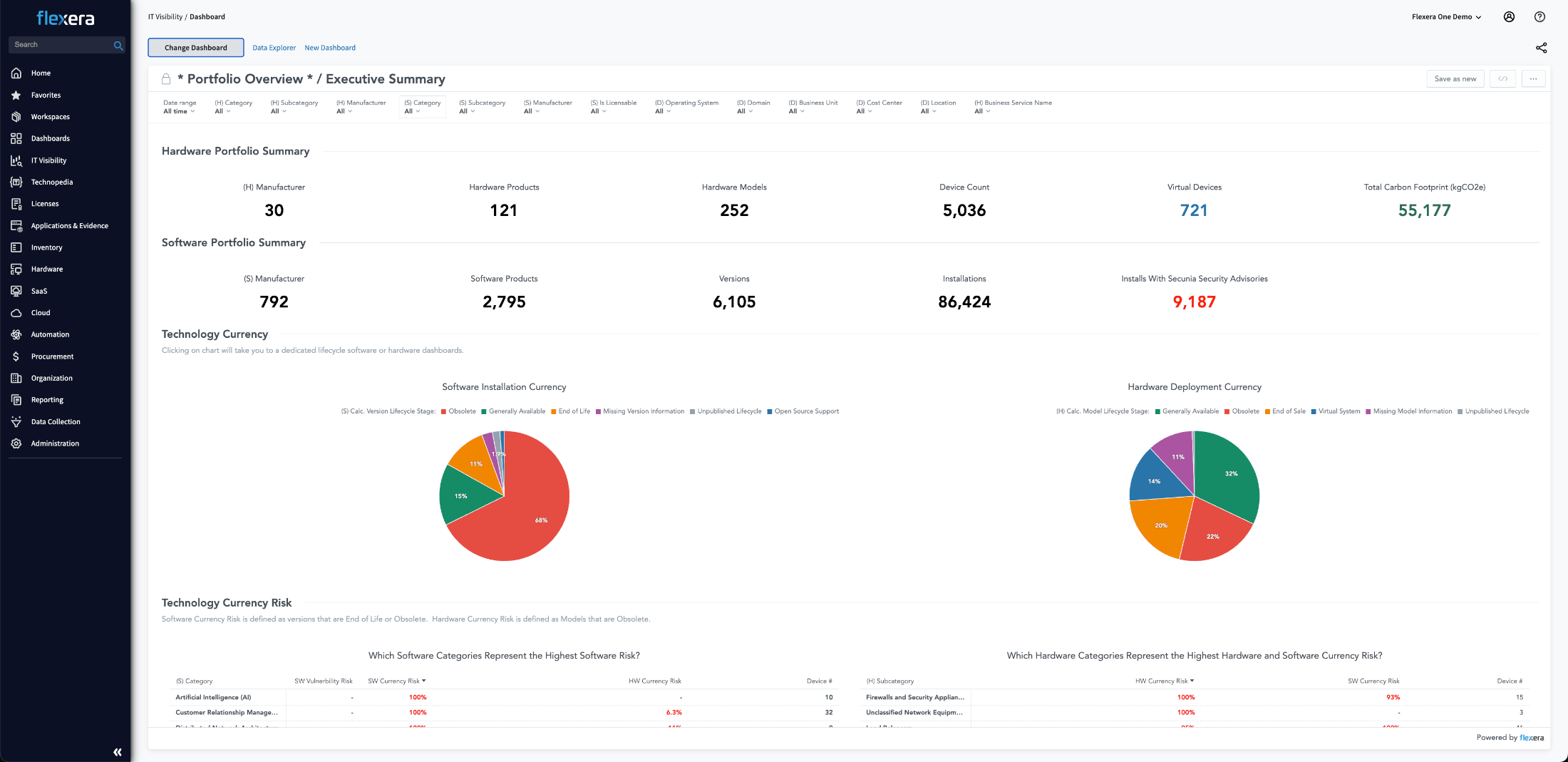
Flexera provides cloud cost visibility and optimization for Azure through its Flexera One platform. By connecting to Azure using the Microsoft Az PowerShell module, Flexera collects inventory and usage data related to virtual machines, SQL servers, and hybrid licensing models. The platform uses a dedicated inventory beacon to establish secure, read-only access via a service principal and supports both application key and certificate-based authentication.
Key features:
Source: Flexera
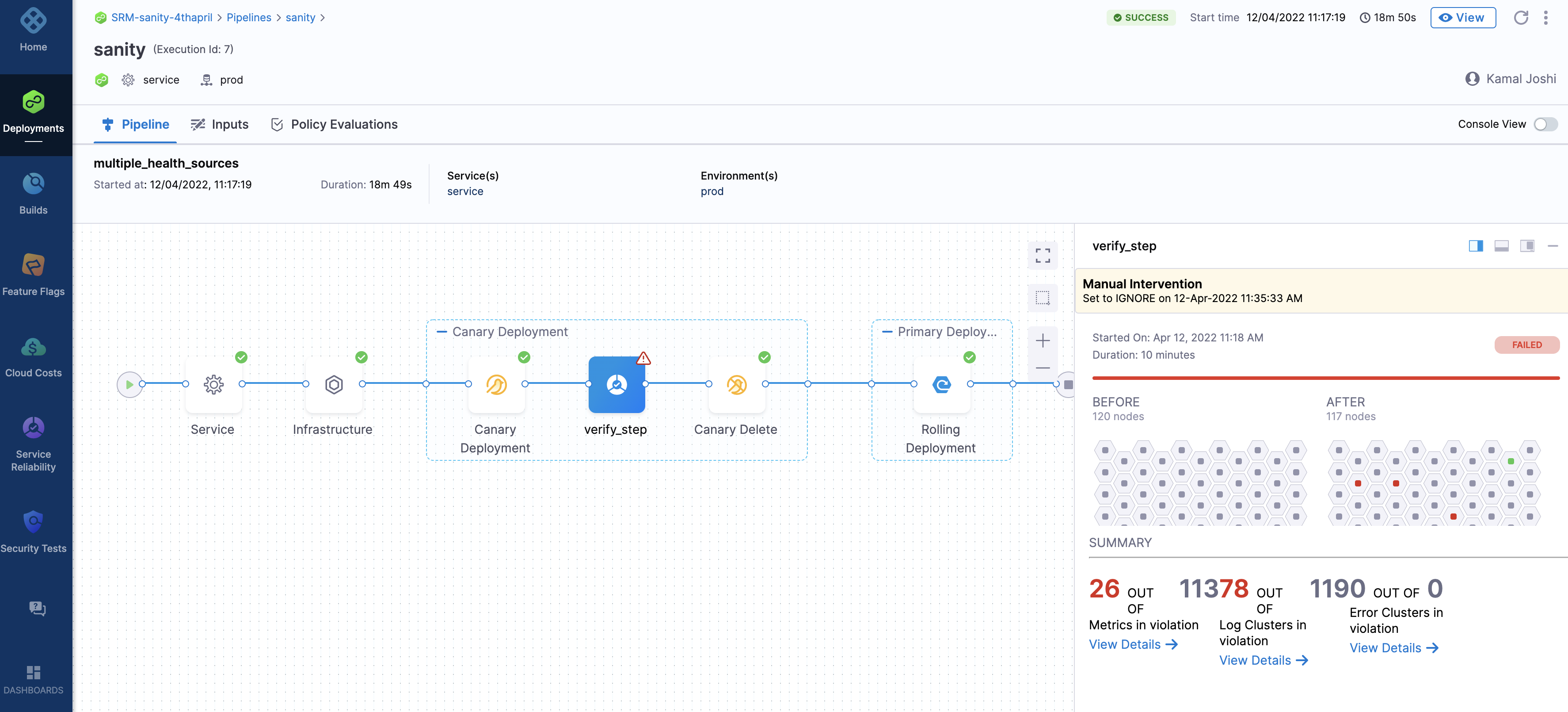
Harness offers CI/CD capabilities for .NET applications running on Azure and other environments. The platform supports both traditional on-premises IIS apps and cloud-native microservices, allowing teams to model and deploy to hybrid or multi-cloud infrastructures. It automates deployment workflows, verification, and rollback through integrations with APM and logging tools.
Key features:
Source: Harness
Yotascale is a cloud cost management platform designed to provide detailed cost attribution and real-time insights into Azure spending. It gives engineering and finance teams a unified view of costs across teams, workloads, and environments, with support for containerized and non-containerized resources. Yotascale helps identify optimization opportunities and enables proactive cost governance with automated alerts and recommendations.
Key features:
Source: YotaScale
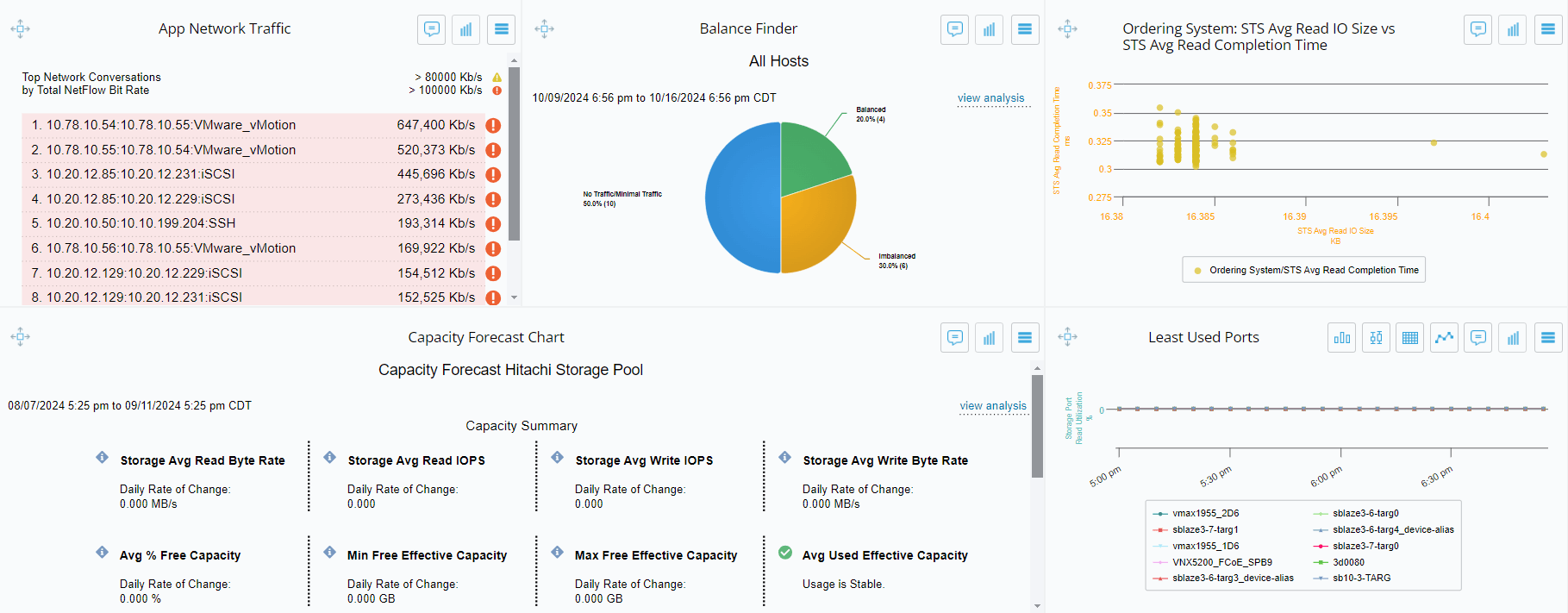
Virtana Optimize helps organizations plan, manage, and rightsize their Azure workloads with visibility into performance and cost. It integrates with Azure in a read-only mode to collect data on resource usage and generate recommendations for workload placement, idle resources, and virtual machine optimization.
Key features:
Source: Virtana
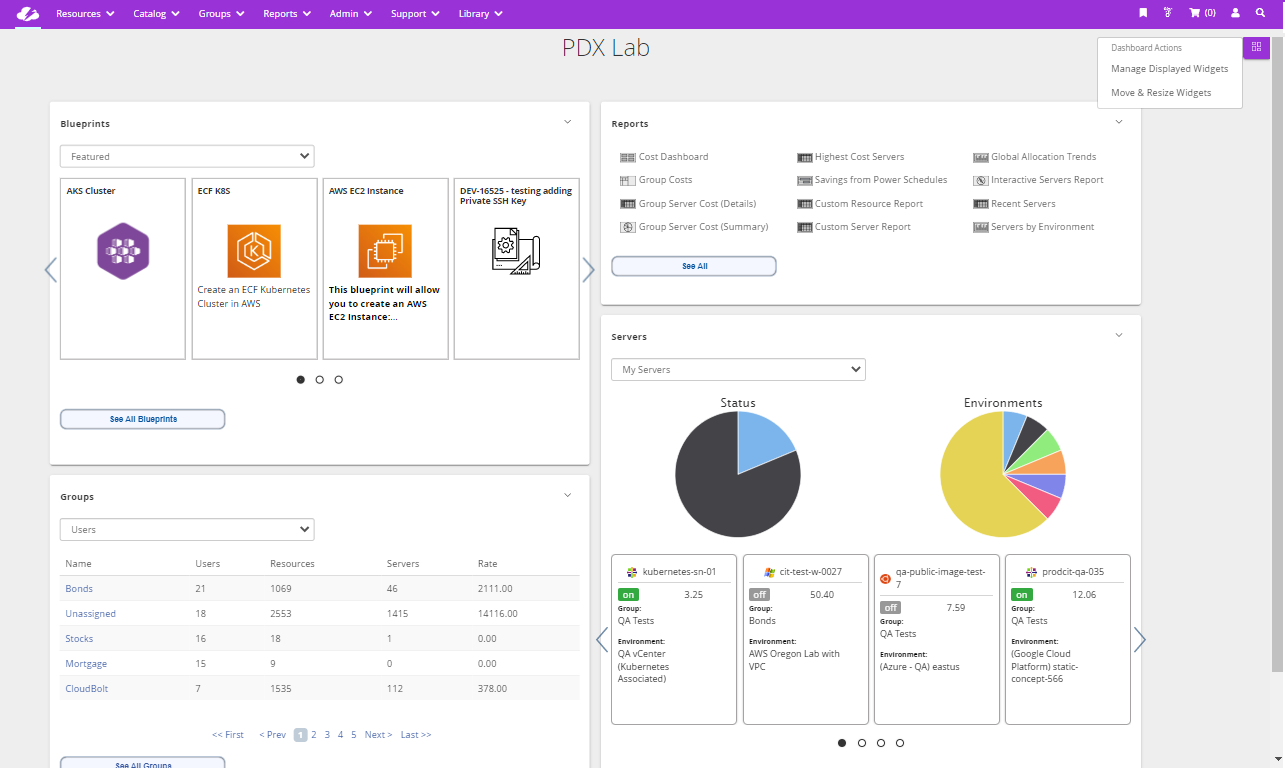
CloudBolt is a hybrid cloud automation platform with capabilities for FinOps, cloud operations, and DevOps teams. It brings visibility, orchestration, and cost control to Azure environments by integrating natively with existing tools and accelerating the provisioning and optimization of resources.
Key features:
Source: CloudBolt
ProsperOps provides automated discount management for Azure, helping FinOps teams maximize savings through continuous optimization of reserved instances and savings plans. It deploys adaptive purchasing strategies and flexible commitment management to match usage patterns, reducing risk and freeing up teams from manual rate management.
Key features:
Effective Azure cost monitoring requires more than basic visibility; it depends on actionable insights, proactive controls, and alignment with business goals. Whether using native tools or third-party solutions, organizations benefit most when cost data drives continuous optimization, financial accountability, and informed decision-making across teams.